
O&O RegEditor
Editing the Windows Registry
Version: 16.1.6660
Released on: 07/16/2026


Version: 16.1.6660
Released on: 07/16/2026
Whether for experienced private users, administrators, developers or technical support: O&O RegEditor makes working with the Windows registry easier and offers numerous functions that go beyond the registry editor included in Windows.
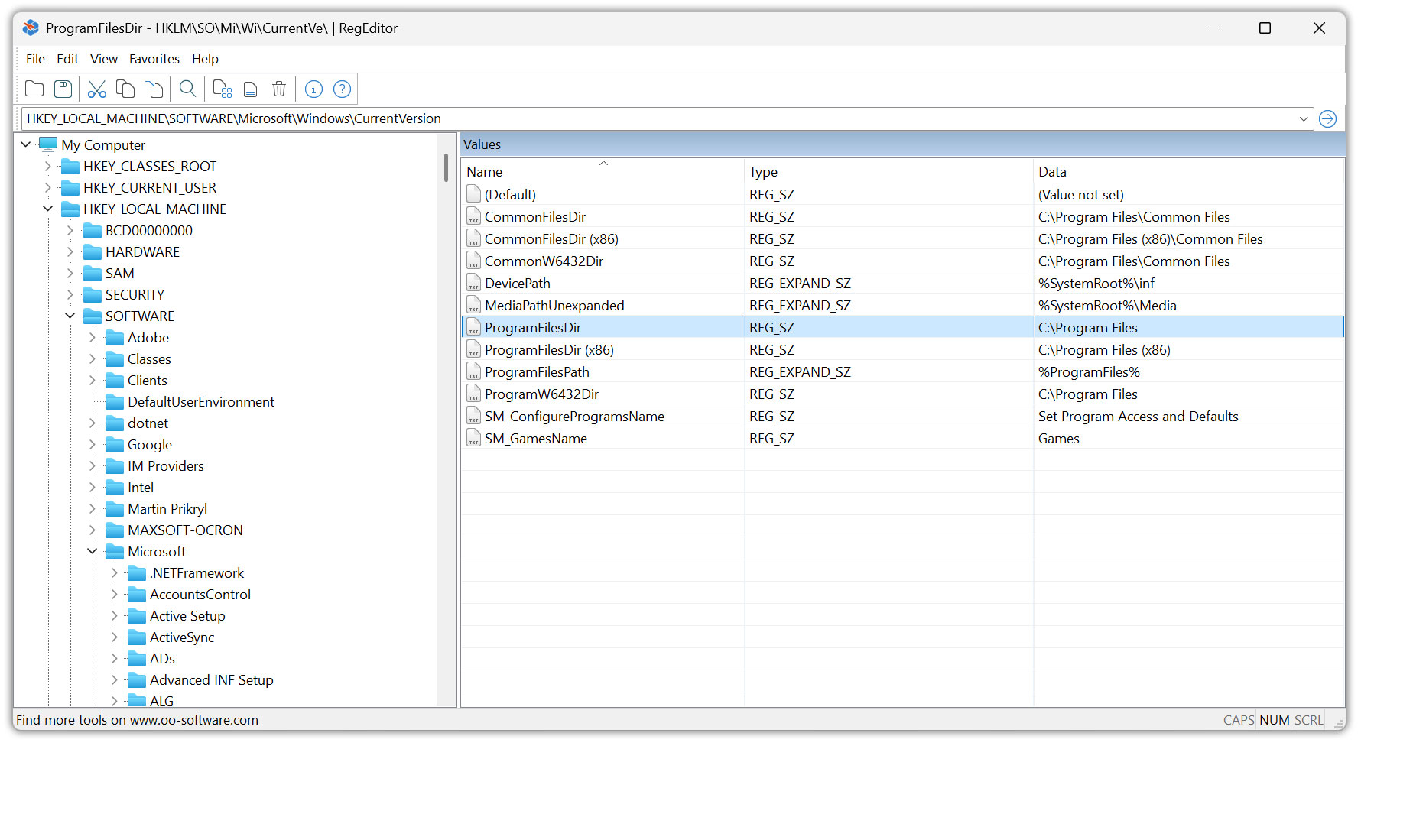
The modern user interface provides quick access to keys, subkeys, and values. A light and a dark design ensure a pleasant display. O&O RegEditor can automatically follow the Windows setting or be permanently set to a light or dark theme. Thanks to the high-DPI support, icons and toolbars are displayed sharply even on high-resolution screens.
O&O RegEditor is available as a portable application and does not need to be installed. All program settings are stored in a portable configuration file. This allows the program to be started directly from a USB stick, for example, and used on different computers with a uniform configuration.
O&O RegEditor is available for 32-bit and 64-bit Windows systems and can also be used on ARM-based Windows devices. This is ARM compatibility and not a native ARM version.
O&O RegEditor offers all the important functions for creating, editing and deleting registry keys and values. In addition, additional tools are available that save time, especially for extensive registry structures, error analysis and recurring administration tasks.
The integrated live search shows matching results as you type. In addition to searching for keys, value names and content, O&O RegEditor also supports regular expressions and searching for whole words. All hits are displayed in a clear list of results with the corresponding key paths. From there, you can go directly to the respective position in the registry.
Search results can be exported as a REG file or as a tab-delimited text file in TXT format. This allows found entries to be saved, documented or further processed outside the program.
Registry paths can be inserted directly into the address bar, for example from a manual, support documentation or a website. The address bar remembers recently used paths and also accepts paths with a preceding computer or workstation. The last opened key path is automatically restored the next time the application is started.
Complete key structures, including all subkeys and values, can be copied and pasted elsewhere. This allows configurations to be duplicated, transferred, or quickly backed up before changes. Large binary values and multi-line string values of type REG_MULTI_SZ are also processed reliably.
Frequently used registry paths can be saved as favorites and called up directly at any time. In addition, O&O RegEditor already contains preset entries for important and frequently used registry areas.
Advanced Favorites Management supports multi-select, rename, import, export, and print. Favorites can also be moved up or down and thus sorted individually.
O&O RegEditor supports the import and export of REG files. Individual keys, complete key branches or registry values can be saved from changes and reimported if necessary. In addition, the entire registry can be exported in XML format.
When importing REG files, comment lines are automatically skipped. Quotation marks, masked backslashes and different registry value types are also processed reliably.
O&O RegEditor was originally developed both as a component of O&O BlueCon and for the internal development of O&O products.
O&O BlueCon is a comprehensive solution for administration, troubleshooting, data recovery and recovery of Windows systems. The bootable environment can be booted from a USB storage device and allows access to important system tools even if the installed Windows no longer boots properly.
| O&O RegEditor | Windows RegEdit | |
|---|---|---|
| Creating, editing, and deleting registry keys and values | ||
| Live search with result display as you type | ||
| Search results in a clear hit list | ||
| Regular expression support | ||
| Search for whole words | ||
| Export of search results as a .reg or .txt file | ||
| Copy and paste complete keys, subkeys, and values | ||
| Portable use without installation, for example from a USB stick | ||
| Saving the settings in a portable configuration file | ||
| Light and dark design | ||
| Automatic transfer of the Windows display | ||
| Optimized display on high-DPI screens | ||
| History of Recently Used Registry Paths | ||
| Automatic recovery of the last opened key | ||
| Favorites for commonly used registry paths | ||
| Preset Favorites for Frequently Used Keys | ||
| Multiple selection and individual sorting of favorites | ||
| Import, export, and print favorites | ||
| Import and export of REG files | ||
| Export of the entire registry in XML format | ||
| Available for 32-bit and 64-bit Windows systems | ||
| Compatible with ARM-based Windows devices |