
Your data.
Protected. When it matters most.
Protect your entire computer, important files, and personal data. With automatic backups, additional cloud backup, and easy recovery – even if Windows no longer starts.
instead of
One-time payment · VAT included · No subscription
Complete protectionPC, drives, and files
Regular backupsAutomatically in the background
Extra securityCloud backup available
Ready for emergenciesRecovery without Windows
NEW IN VERSION 23
More security.
Less effort.
O&O DiskImage 23 makes reliable data backup even easier. Three new features help you keep your computer protected over time.
Everything at a glance.
The completely redesigned guided interface brings together your backup history, protection status, and important recommendations in one place. See instantly how well your data is protected.
Back up locally. Add cloud protection.
Create your backups locally first, then automatically transfer them to your own S3 cloud storage. Stay in full control.
Set it up once. Back up automatically.
Custom backup intervals and automatic backup chains ensure regular backups – without having to start each backup manually.
THE NEW USER INTERFACE
One view.
Everything that matters.
Backup history, protection status, and recommendations clearly presented in one place. See when your data was last backed up and whether action is needed.
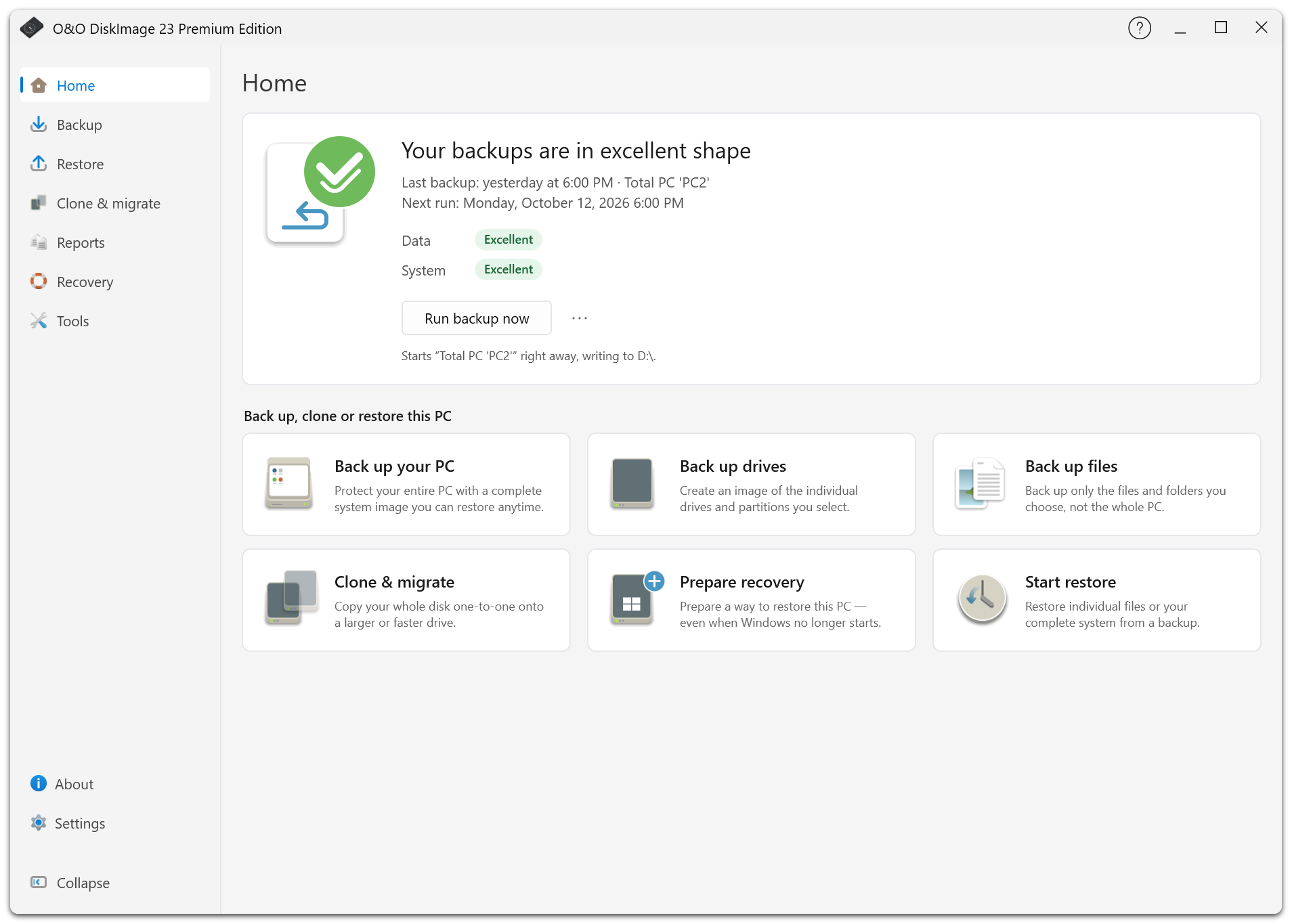
O&O DiskImage 23 Premium · The new guided user interface
BACKUP & RECOVERY
Back up everything.
Be ready for anything.
A system image protects more than just your files: it preserves the complete state of your computer, including Windows, applications, settings, and personal data.
After a hardware failure, cyberattack, or failed update, restore your system from an existing backup – without time-consuming reinstallation.
THE RIGHT BACKUP
Complete system backup
Back up your entire computer, including Windows, applications, and settings.
Files & folders
Back up and restore important documents, photos, and other files individually.
Clone drives
Duplicate hard drives and SSDs, for example when upgrading your hardware.
WHEN WINDOWS NO LONGER STARTS
Stay in control.
Even in an emergency.
A system crash does not have to mean data loss. O&O DiskImage lets you restore your computer even if Windows no longer works.
Create a bootable USB recovery drive or use the exclusive Fortress Mode with its protected recovery environment.
TWO RECOVERY OPTIONS
Bootable recovery media
Start your computer independently of Windows and restore your existing backups.
Exclusive Fortress Mode
Use O&O DiskImage in an isolated Windows environment that can be integrated into your PC’s recovery environment.
ADDITIONAL TOOLS
More tools.
Already included.
O&O DiskImage 23 Premium Edition is part of the O&O ToolBox, featuring a total of 15 Windows tools for maintenance, security, and data management.
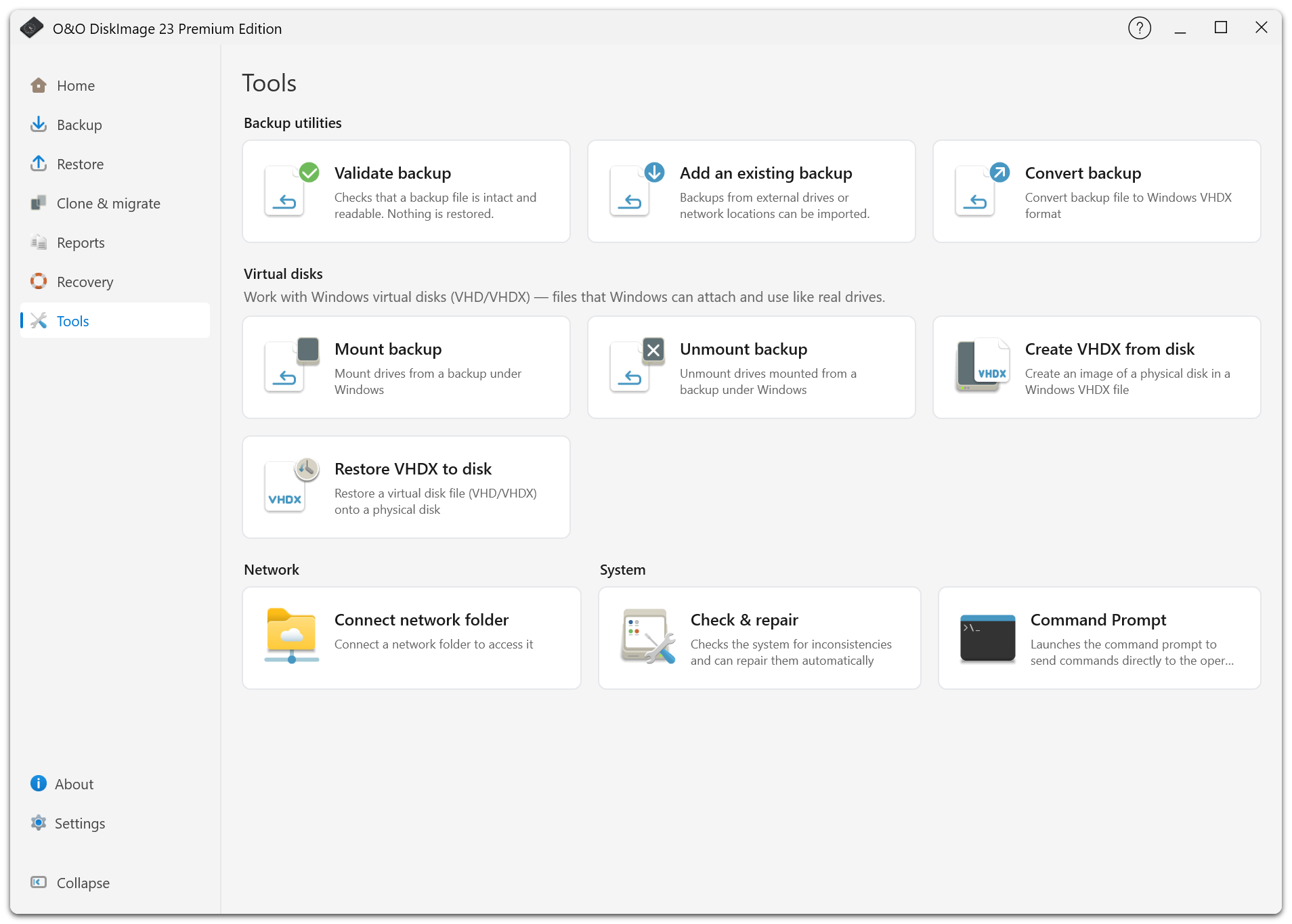
O&O DiskImage 23 Premium · Tools at a glance
GOOD TO KNOW
Still have questions?
What is the difference between a system image and a file backup?
A system image preserves the full state of a drive, including Windows, applications, and settings. A file backup protects selected files and folders.
Can O&O DiskImage create backups automatically?
Yes. You can set custom backup intervals and create automatic backup chains to keep your data backed up regularly.
Do I need cloud storage?
No. You can store backups locally on external drives or NAS systems. Optionally, backups can also be transferred to cloud storage.
Can I restore my PC without starting Windows?
Yes. Use a previously created bootable recovery medium or a properly prepared Windows recovery environment with O&O DiskImage.
Which Windows versions are supported?
O&O DiskImage 23 Premium Edition supports 64-bit versions of Windows 10 and Windows 11.
O&O DiskImage 23 Premium
Your data
are worth protecting.
Protect what matters to you. Automatically, reliably, and ready for emergencies.
instead of
One-time payment · VAT included · No subscription