Smart optimization. Noticeably faster.
O&O Defrag keeps your drives in top condition and improves your PC’s responsiveness with just a few clicks.


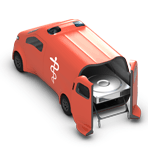


Rely on our tools for maximum security and control.
Remember the recent worldwide PC problems caused by a bug in a widely used security software? We have good news for customers who rely on our solutions: with O&O BlueCon you can reboot any Windows PC that is no longer working and repair it in a secure rescue environment. O&O Syspectr offers you comprehensive control over your managed systems, while O&O DiskImage provides you with reliable backup solutions.
Our professional tools for Windows

O&O BlueCon
Disaster recovery for Windows

O&O DiskRecovery
Restore deleted files

O&O DiskCommander
Professional Disk Analysis & Backup Inspection




Free IT management for your Windows systems
O&O Syspectr is our easy-to-use cloud application that lets you monitor and manage your IT remotely! As soon as a problem occurs on your Windows PC or server or an important update is available, O&O Syspectr notifies you or reacts automatically!
All you need to register is an e-mail address. You’ll be up and running in less than 5 minutes – it’s that easy! You can manage your PCs remotely from any internet-enabled device, including smartphones and tablets!
Our free tools for Windows

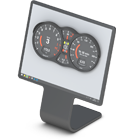


Cloud Solutions


News
- 29.09.2026
- NEW: O&O ShutUp10 Version 3.6.1135! With 9 new program languages, settings filter by category & more
- 16.09.2026
- NEW: O&O Defrag 32 – Redesigned from the ground up, with O&O SpeedCheck, new Interface & more
- 07.09.2026
- NEW: O&O AutoBackup 8.1.1011! NAS and network shares as separate destination types & more!
- 02.09.2026
- NEW: O&O ShutUp10 Version 3.5.1130! Enhanced speech output and keyboard navigation & more
- 26.08.2026
- NEW: O&O AutoBackup 8! Automatic Data Backup & Sync – now for OneDrive Data too


Since 1997, we have been developing our Tools for Windows in the heart of the capital, helping millions of users worldwide every day to make it easier for them to use their PCs both privately and in companies. We believe that outstanding quality can only be developed with an outstanding team. We speak and understand the language of our customers and develop the products you need for your success. Our solutions create competitive advantages and ensure the success of your company! Made in Germany. Made in Berlin.