O&O DeskInfo
All system information on the desktop
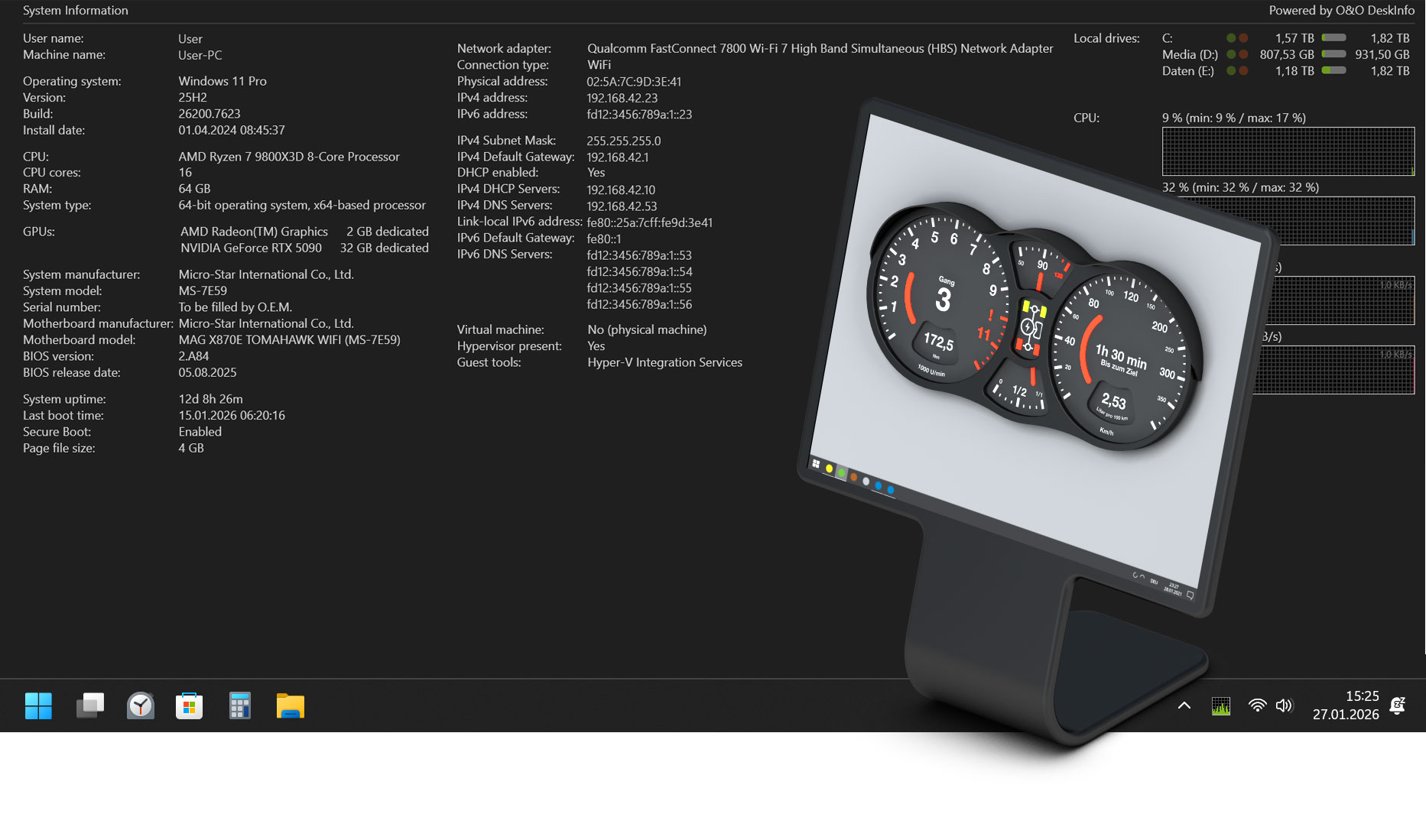


Here you will find a collection of helpful documents and tips on the use of O&O DeskInfo. The content provided will help you to better understand the system information displayed, to get to know typical application scenarios and to adapt O&O DeskInfo optimally to your needs. Whether explanations of hardware and network data, practical tips for configuration or tips for support and analysis purposes – the following materials offer you a well-founded orientation for the efficient use of O&O DeskInfo in everyday life.
O&O DeskInfo User´s Guide, PDF Download
IMPORTANT – PLEASE READ CAREFULLY: This license agreement is a contractual agreement between you (a private or legal entity) and O&O Software GmbH regarding the above software, which may include program components, media, printed materials, and online or electronic documentation. By installing, copying, or otherwise using the Software, you agree to be bound by the terms of this License Agreement. If you do not agree to the terms of this License Agreement, you may not install or use the Software.
The Software is protected by copyright laws and international copyright treaties, as well as other intellectual property laws and conventions. The software is licensed, not sold.
The Software is licensed as follows:
1.1 Installation and Use. O&O grants you the right to install and use the Software and its copies on your computers. The software is in use when it is loaded into volatile memory (e.g. RAM) or installed in permanent memory (e.g. hard drive, CD-ROM, floppy disk) in order to be accessible to end users.
1.2 Backups. You may also make backup copies of the Software if necessary for backup and archival purposes.
2.1 Copyright Notices. You may not alter or remove the copyright notices on any copies of the Software.
2.2 Sales. You may make exact and unmodified copies of this software and distribute these copies free of charge only by electronic means (e.g. via Internet sites), provided that: (a) that the Software will be distributed unmodified (enclosing the Software with an installer, wrapper, or similar is an unauthorized modification within the meaning of this Agreement) and in its entirety, including complete user documentation, readme files, copyright and trademark notices, and other intellectual property notices, including this License Agreement, and (b) that such distribution may take place anywhere in the world, except for countries to which the export of software is prohibited (directly or indirectly) by the regulations of the Federal Republic of Germany.
2.3 Prohibition of reverse engineering, decompilation and disassembly. You may not reverse engineer, decompile, or disassemble this Software, except and only to the extent that such activities are expressly permitted by applicable law notwithstanding this limitation.
2.4 Rental. You may not rent, lease or lend the Software.
2.5 Transfer. You may assign all of your rights permanently, provided that the recipient agrees to the terms of this License Agreement.
2.6 Compliance with Applicable Laws. You must comply with all applicable laws regarding the use of software.
Without affecting all other possible rights, O&O may terminate this License Agreement if you violate the terms of this Agreement. In this case, you need to destroy all copies of the software.
All rights to this software and its copies, including but not limited to copyrights, are owned by O&O and its suppliers. All intellectual property rights relating to this Software that may be accessed through the use of the Software are the property of their respective owners and may be protected by applicable law or other conventions and intellectual property rights. This License Agreement does not grant you any rights to use this property. All rights not expressly granted are reserved by O&O.
O&O expressly disclaims all warranties for the software. The Software and any related documentation are provided “as is” without warranties of any kind, either express or implied, including, without limitation, implied warranties or merchantability, fitness for a particular purpose, or non-infringement. The entire risk arising from the use or performance of the Software is borne by you.
To the maximum extent permitted by applicable law, O&O or its suppliers shall not be liable for any intentional, incidental, indirect, or consequential damages of any kind (including, without limitation, loss of profits, business interruption, loss of business information, or any other pecuniary loss) arising out of the use of the Software, the inability to use the Software, or the support services warranted or not, even if O&O has been informed of the possibility of such damages. O&O’s total liability under this License Agreement shall be limited to the greater of the amount you paid for the Software or to 0.01 Euros; unless you have entered into a maintenance contract with O&O, in which case O&O’s entire liability will be governed by the terms of that contract. Because some states and jurisdictions do not allow the exclusion or limitation of liability, the above limitation may not apply to you.
The contract is governed by German law. The Unified UN Convention on Contracts for the International Sale of Goods (CISG) and the UNIDROIT Factoring Convention of Ottawa are not applicable. Any terms and conditions of yours do not apply. In the event that you are a merchant or do not have a registered office in the Federal Republic of Germany, we agree on the Berlin Regional Court as the competent court for disputes arising from this contract.
If you have any questions about the EULA or would like to contact O&O, please contact us.
O&O Software GmbH,
Bülowstraße 66,
10783 Berlin,
Germany
Tel. +49 (0)30 991 91 62 00
Fax +49 (0)30 991 91 62 99
E-mail: info@oo-software.com
Web: https://www.oo-software.com
Last update: 2016-03-09