Powerful data protection for Windows—automatic, transparent, and durable
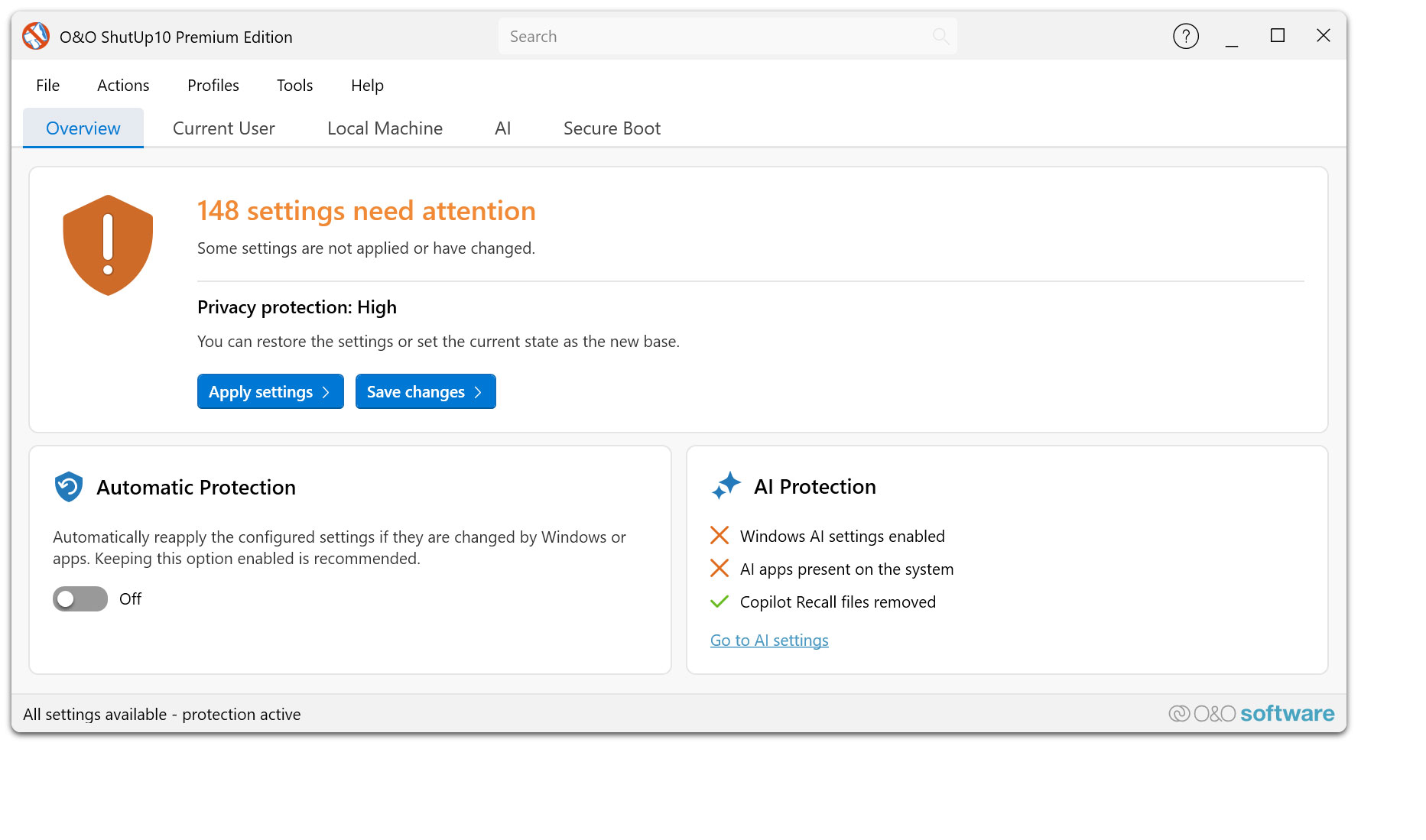
O&O ShutUp10 Premium gives you back control over the privacy and system settings of Windows – and ensures that this control is maintained permanently. Instead of having to check again after every Windows update which settings have been changed, set your desired data protection requirements once. O&O ShutUp10 Premium then continuously monitors them and automatically restores them when Windows changes them.
Reliable data protection is crucial, especially in companies, for the self-employed and on professionally used PCs. Windows is constantly evolving, new features are added, and existing settings can be adjusted through updates or policy changes. O&O ShutUp10 Premium significantly reduces this effort and ensures that defined data protection standards are permanently adhered to.
The following feature list shows how O&O ShutUp10 Premium combines data protection management, automation, transparency and central control – for Windows systems that are not only protected once, but work permanently according to your specifications.
Privacy Control for Windows 11 & 10
- Management of around 300 privacy and system settings
- How Windows disables unwanted data collection
- Control over telemetry, diagnostics, app access, and system services
- Understandable recommendations for each setting
- Quickly apply recommended data protection configurations
Permanently protect your settings
- Continuous monitoring of the selected privacy settings
- Automatic recovery after Windows updates
- Protection against unintentional reset caused by system changes
- Reapply defined settings without manual intervention
- Ideal for companies that want to enforce data protection policies on a permanent basis
Automatic reapplication after Windows updates
- Microsoft can use updates to change existing privacy settings or add new options
- O&O ShutUp10 Premium detects relevant changes and restores the desired settings
- Data protection remains in place even after feature updates and system changes
- Reduces manual checking effort for administrators and users
- Ensures consistently consistent privacy settings on Windows systems
Central data protection guidelines for companies
- Uniform data protection configurations for Windows workstations
- Profile-based management of desired settings
- Export and import of defined configurations
- Support in the implementation of internal data protection regulations
- Suitable for SMBs, organizations, and managed IT environments
Client/Service Architecture
- Continuous monitoring via a robust background component
- Automatic enforcement of defined settings during operation
- Separation between user interface and technical background service
- Reliable application of the specifications even without constant user interaction
- Designed for professional use on managed systems
No end-user administrator privileges required
- Data protection requirements can be implemented without users needing permanent administrator rights
- More safety in daily operations
- Less support effort due to controlled assignment of rights
- Better suited for professional and managed Windows environments
- Increases comfort and safety at the same time
Profiles and policy management
- Creation of your own data protection profiles
- Key Requirements for Recurring Configurations
- Quickly apply defined settings on Windows systems
- Profile Editor for Structured Management
- Ideal for uniform data protection standards in the company
Protection against new Windows features
- Regular adaptation to new versions of Windows
- Consideration of new data protection options
- Protection against Microsoft features that have been enabled after the fact
- Support in disabling unwanted AI features
- Removal or disabling of Copilot and Recall-related features
One-click recommended settings
- Predefined recommended privacy settings
- Rapid activation of sensible protective measures
- Can undo recommended settings
- Suitable for quick initial configurations
- Transparent control over every single change
System protection and recovery
- Creating System Restore Points Before Changes
- Restoration of previous system states possible
- More security when adjusting sensitive Windows settings
- Reduces the risk of unwanted side effects
- Suitable for traceable and controlled system adjustments
Transparency and control
- No changes without defined specifications
- Clear representation of the impact of each setting
- Recommendation levels for better classification
- Editing mode for advanced users
- Full control over which features are enabled or disabled
Notifications and traceability
- About automatically reapplied settings
- Transparent feedback on changes by Windows
- Better overview of protection status
- Traceable automatic corrections
- Supports administrators and users in daily operations
Premium comfort in the background
- Automated enforcement of selected privacy settings
- Background monitoring without constant manual control
- Less effort after Windows updates
- Permanent compliance with desired data protection requirements
- More convenience, more automation and reliable data protection
For private users and companies
- Ideal for users who want to protect their privacy permanently
- Suitable for the self-employed, small businesses and managed workplaces
- Supports uniform data protection standards on Windows systems
- Reduces manual rework after updates
- Ensures that selected settings remain permanently
Set once. Permanently protected.
- Set your desired privacy settings once
- Automatic recovery from changes by Windows
- Protection against unintentional reactivation of unwanted functions
- More safety and less effort in everyday life
- Your privacy remains protected even when Windows changes
 30-day money back guarantee