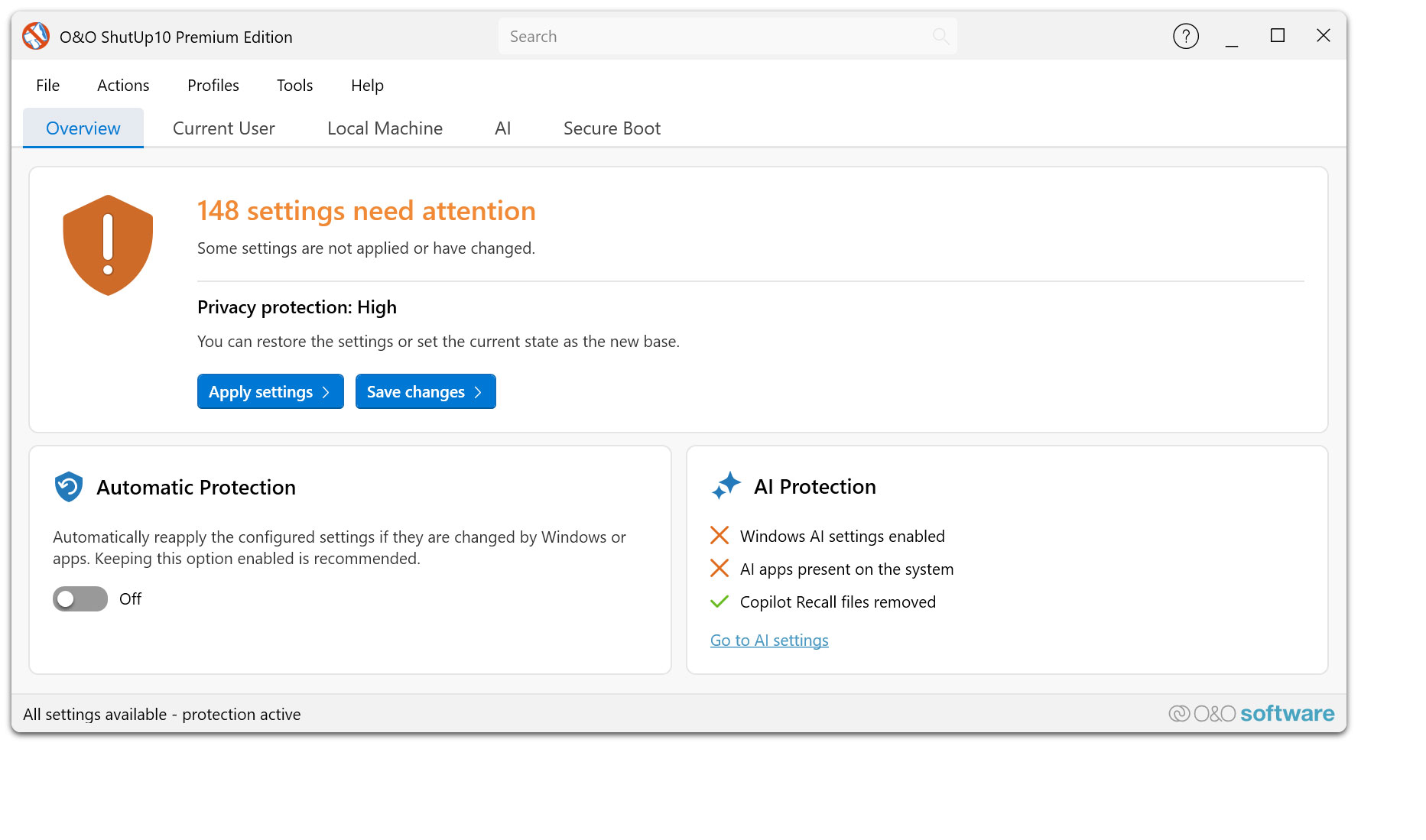
Here you can find the manual for O&O ShutUp10. The documentation will help you to better understand the functions and settings of O&O ShutUp10 and to make targeted adjustments to your privacy and system settings under Windows.
1. What is O&O ShutUp10 Premium?
O&O ShutUp10 Premium is the advanced data protection solution for Windows 11 and Windows 10. It allows you to centrally manage numerous data protection and system settings and permanently protect them according to your specifications. Unlike the free edition, your selected settings are not only applied once, but are continuously monitored and automatically restored if necessary.
2. Who is O&O ShutUp10 Premium suitable for?
O&O ShutUp10 Premium is aimed at users, self-employed people and companies who want to permanently protect their Windows privacy settings. The solution is ideal for those who don’t want to worry about changed or reset privacy options after every Windows update.
3. What is the difference between O&O ShutUp10 Free and O&O ShutUp10 Premium?
O&O ShutUp10 remains available free of charge and offers the proven manual management of your data protection settings. You can set settings, use recommendations, export and import profiles, and undo changes if necessary.
O&O ShutUp10 Premium goes one step further: The premium version permanently monitors your selected settings in the background and automatically restores them when Windows changes them through updates, system changes or policy changes.
4. What is the difference between Premium and Enterprise?
The Premium Edition is intended for individual users, self-employed people and smaller deployment scenarios where data protection is to be protected permanently and automatically.
The Enterprise Edition is aimed at enterprises and managed IT environments. It offers additional options for central specifications, uniform data protection profiles and professional use at several workstations. This makes it particularly suitable for organizations that want to implement data protection policies consistently throughout the company.
5. What versions of Windows are supported?
O&O ShutUp10 Premium was developed for Windows 10 and Windows 11. It bundles numerous privacy and system settings of both operating systems in one place and makes them easily accessible.
6. Why is a premium version useful?
Windows changes regularly with updates, new features and system adjustments. Privacy settings can be reset or new data transfer functions can be activated. O&O ShutUp10 Premium permanently protects your selected settings and significantly reduces the manual control effort.
7. What does automatic reapplication of settings mean?
You determine which privacy and system settings should apply. O&O ShutUp10 Premium then monitors these settings continuously. If Windows changes any of these settings, it will automatically reset it back to the value you want.
8. Does O&O ShutUp10 Premium help after Windows updates?
Yes. This is exactly what O&O ShutUp10 Premium was developed for. After Windows updates, settings can be changed or reset to default values. O&O ShutUp10 Premium detects such changes and automatically restores your previously defined data protection requirements.
9. What settings can I manage?
O&O ShutUp10 Premium offers access to numerous privacy and system settings of Windows. These include, but are not limited to, telemetry, diagnostic features, app permissions such as camera, microphone, and location, Windows search, online features, advertising and personalization options, and various convenience and security features.
10. Are new Windows features also taken into account?
Yes. O&O ShutUp10 Premium is continuously being developed and adapted to new Windows versions and new data protection options. This also includes up-to-date features such as copilot and recall-related settings, as long as they are available and relevant on the respective system.
11. What do the recommendations mean in the settings?
O&O ShutUp10 Premium displays recommendations for many settings. These help you assess which options can usually be safely adjusted and which changes can have an impact on comfort or Windows features. This allows you to stay in control of your decisions at all times.
12. Can I apply recommended settings in one click?
Yes. You can quickly apply recommended data protection configurations and undo them if necessary. This makes O&O ShutUp10 Premium suitable for both beginners and advanced users who want to customize individual options.
13. Can I export and import profiles?
Yes. You can export your configurations and import them again later. This is especially useful if you want to back up proven data protection profiles or use them consistently across multiple systems.
14. Does O&O ShutUp10 Premium create restore points?
O&O ShutUp10 Premium supports the creation of system restore points before changes. This allows you to revert to a previous system state if necessary. This increases security when adjusting sensitive Windows settings.
15. Do users need permanent administrator rights?
No. O&O ShutUp10 Premium works with a client/service architecture. This allows defined data protection requirements to be reliably monitored and enforced in the background without end users needing permanent administrator rights.
16. Does O&O ShutUp10 Premium change settings without consent?
No. You decide for yourself which settings should apply. O&O ShutUp10 Premium then ensures that exactly this selected configuration is retained. Control remains with the user or administrator at all times.
17. Can I undo changes?
Yes. Individual settings can be reset at any time. In addition, saved profiles can be restored or system restore points can be used if you want to restore a previous configuration.
18. Which edition is right for me?
O&O ShutUp10 is the right choice if you want to manage your privacy settings manually and free of charge.
O&O ShutUp10 Premium is ideal if you want to permanently protect your settings and restore them automatically after Windows updates or system changes.
O&O ShutUp10 Corporate is the right solution for companies that want to manage data protection requirements centrally and implement them uniformly on several systems.
19. Is O&O ShutUp10 Premium also suitable for companies?
Yes. O&O ShutUp10 Premium is particularly suitable for the self-employed, small businesses and professional users who want to automate data protection permanently. For larger or centrally managed IT environments, the Corporate Edition is recommended.
20. What is the most important advantage of O&O ShutUp10 Premium?
The most important benefit is the permanent protection of your chosen privacy settings. You configure Windows once according to your ideas – O&O ShutUp10 Premium then automatically ensures that these settings remain in place, even if Windows changes them.
 30-day money back guarantee