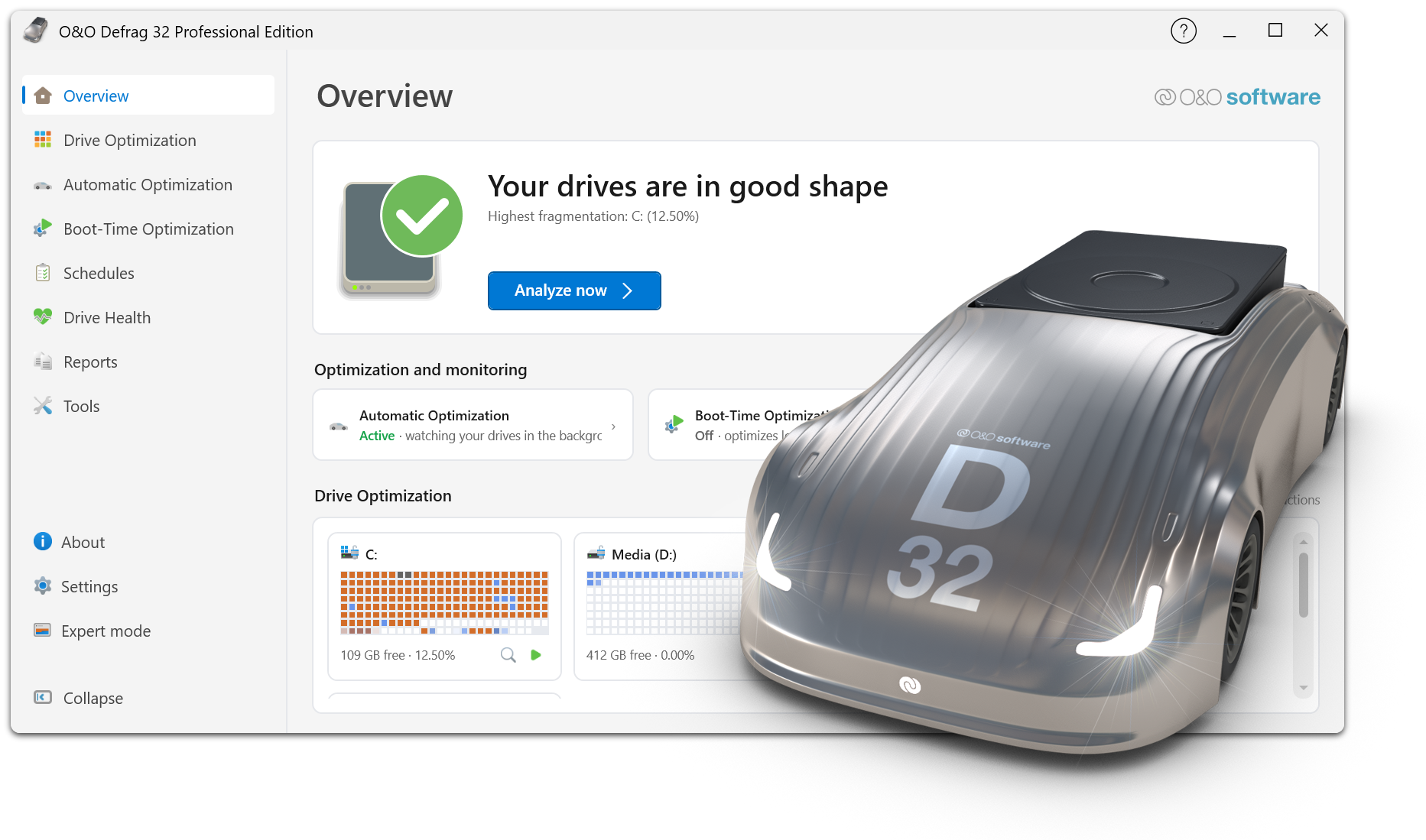
Here you will find a collection of helpful documents and tips on the use of O&O Defrag. The content provided will help you better understand how Drive Optimization works, identify performance bottlenecks, and choose the optimal configuration for different system environments. Whether technical background on defragmentation, practical instructions or best practices for HDDs and SSDs – the following materials offer you a well-founded orientation for permanently powerful and stable systems.
1. In which languages is O&O Defrag available?
O&O Defrag is currently available in German and English.
2. Why is my previous O&O Defrag version no longer available on the website?
3. How do I contact technical support (e.g. for the Server Edition)?
4. Why do I still see a fragmentation level after defragmentation?
Some files are locked while Windows is running (such as system files) and therefore cannot be defragmented. In such cases, a boot-time defragmentation helps because the affected files are not locked before Windows starts.
Another reason may be a lack of contiguous free memory. If a file is larger than the largest free memory block, it cannot technically be completely defragmented. In this case, use a free memory consolidation method (such as SPACE) to maximize contiguous free memory.
5. How can I determine the fragmentation status of my drives?
Install O&O Defrag and perform an analysis of the drives. Once completed, O&O Defrag displays the fragmentation level and optimization status for each drive.
6. How can I automatically detect increasing fragmentation?
O&O Defrag allows you to define threshold values per drive. If a defined degree of fragmentation is reached, optimization starts automatically. This will help you avoid unnecessary defragmentation runs and keep your drives performing over time.
7. Defragmentation takes a long time. Is that normal?
Yes. If a drive has not been optimized for a long time, there may be a high level of fragmentation. The more fragmented the file system is, the longer it takes to optimize. You can track the progress at any time in the user interface.
8. What do I need O&O Defrag for?
O&O Defrag is a professional optimization solution for Windows that reduces performance and stability issues caused by fragmentation – especially on classic hard drives (HDD). Intelligent defragmentation and optimization methods improve access times, programs start faster and the system reacts noticeably more smoothly overall.
9. Is O&O Defrag safe to use?
Yes. O&O Defrag only uses the Windows file system interfaces (APIs) provided by Microsoft. This makes optimization just as secure as copying files in Windows Explorer.
10. Who is O&O Defrag Professional Edition suitable for?
The Professional Edition is suitable for private users as well as for use on individual workstations and workstations in the company.
11. Who is O&O Defrag Server Edition suitable for?
O&O Defrag Server Edition is specially designed for Windows servers and optimized for professional continuous operation in corporate environments.
12. Why O&O Defrag instead of Windows Defragmenter or other products?
O&O Defrag offers significantly more functions, better optimization methods and higher transparency than the standard Windows solution. In addition, automation, boot-time defragmentation and special SSD optimizations ensure sustainable performance.
Examples of functions that make O&O Defrag stand out:
- Fully automatic background optimization (OneButtonDefrag)
- Optimization possible from as little as 5% free memory
- Boot-time defragmentation of locked system files
- Multiple defragmentation and optimization methods
- SSD-optimized processes to reduce unnecessary write access
- Advanced Server/Networking Features (Server Edition)
- 100% data security by using the Windows APIs
13. What is the difference between Professional Edition and Server Edition?
The Professional Edition is designed for individual workstations. The Server Edition is also optimized for Windows servers and offers functions for professional use in the company, e.g. advanced management and operating options.
14. What hard drives and data carriers does O&O Defrag support?
All disks that are displayed in Windows Disk Management and are formatted with a file system supported by Windows can be optimized by O&O Defrag.
15. Do I need to uninstall an older version before installing a new version?
Yes. Please uninstall the previous version and then install the new version.
16. What versions of Windows is O&O Defrag 32 compatible with?
O&O Defrag Professional and Workstation Edition can be used on 11 and 10. O&O Defrag Server Edition can be used on 11, 10, Server 2016, Server 2019, Server 2022 and Server 2025.
17. Is defragmentation safe if, for example, the power supply is interrupted?
O&O Defrag uses the Windows file system interfaces to move files. This means that optimization is basically safe. As with any disk operation, it is still advisable to keep an up-to-date backup of important data.
18. I thought NTFS didn’t fragment!
Yes, NTFS also fragments – like any file system. Therefore, regular optimization makes sense. With the analysis function of O&O Defrag, you can check at any time how fragmented a drive is.
19. I’ve heard that data recovery is more difficult after defragmentation. Is that true?
Basically, every write access can make it more difficult to recover deleted files. If data has already been lost, further write accesses should be avoided as much as possible – this also includes defragmentation. However, regular optimization before data loss can improve system stability. You can find more information about data recovery under
https://www.oo-software.com/en/products/oodiskrecovery
20. When I start O&O Defrag, my firewall reports an access attempt. Why?
The communication of individual program components (e.g. service and user interface) takes place via TCP/IP and takes place exclusively locally – without Internet access. However, many firewalls also monitor local communications and therefore display a message.
You don’t need to disable your firewall. If necessary, enable port 50300. O&O Defrag checks access rights automatically, so external access is not possible.
21. Which defragmentation method is right for me?
The appropriate method depends on the type of drive and your goal (fast vs. thorough). O&O Defrag offers optimized procedures for HDDs and SSDs as well as methods for consolidating free storage and comprehensive reorganization.
As a rule of thumb, a standard/recommendation method makes sense for regular optimization. For highly fragmented drives or after extensive installations, a more thorough method may yield better results.
22. Do scheduled jobs run even if no user is logged in?
Yes. The O&O Defrag service runs independently of the currently logged in user and can also execute jobs without a logged in user.
23. Can I close the UI during a defragmentation?
Yes. The user interface does not have to remain open. The optimization continues in the background.
24. Why doesn’t background monitoring start on external storage media?
By default, background monitoring only runs on internal drives. This avoids inconsistencies or data loss if an external storage device is removed during an active optimization.
 30-day money back guarantee