• Backup & transfer data
      • O&O DiskImage Professional data backup for your PCs
      • Rescue data & systems
      • O&O DiskRecovery Professional data recovery made easy
      • O&O BlueCon Disaster recovery when a pc or server no longer starts
      • PC Migration Windows 11
      • Migration Kit for Windows 11 The Easy PC Migration
      • Optimize systems
      • O&O Defrag Speed up your Windows PC
      • O&O DiskCommander Disk Analysis & Backup Testing
      • Cloud solutions
      • O&O Syspectr Free IT management solution from the cloud
      • O&O FileDirect Send files. Easily. Securely.
      • Protect data & systems
      • O&O SafeErase Secure data deletion
      • Freeware
      • O&O ShutUp10++ Antispy tool for Windows 10 and 11
      • O&O RegEditor Editing the Windows Registry
      • O&O AppBuster Bust Apps you do not want
      • O&O Lanytix Quick and easy Network Analysis in the LAN
      • O&O DeskInfo All important system information directly on the desktop
      • NEW: O&O ToolBox Our top products in
        a package at a special price!
      • View all products Discover all our tools for Windows
      • Downloads Get installation and portable applications
      • O&O Blog Stay up-to-date with our blog
      • Corporate Solutions Benefits for your company
      • Protect Enterprise Data
      • O&O DiskImage Backup solution for your business
      • O&O DiskImage Enterprise Data backup and system recovery at industrial levels
      • Productivity Boost
      • O&O Defrag Maximum performance for your Windows servers and PCs
      • Enterprise-Wide Data Recovery
      • O&O DiskRecovery Professional data recovery at the push of a button
      • O&O BlueCon The recovery system when a computer or server no longer starts
      • Protect Your Enterprise Data
      • O&O SafeErase Secure data deletion for critical business data
      • Freeware
      • O&O ShutUp10++ Compliance use of Windows in businesses
      • Your IT Management in the Cloud
      • O&O Syspectr Remote Monitoring and Management for Windows
      • O&O Blog Stay up-to-date with our blog
      • O&O PowerPack Enterprise The complete solution for your servers and PCs at a bargain price!
    • View all products >>>
      • Ressources
      • Documentation Documents related to O&O products
      • User's guides online Read manuals online
      • Downloads Download archive
      • Whitepapers Studies and whitepapers
      • FAQ Frequently asked questions
      • First aid First aid in the event of data loss
      • Get support
      • Overview Our service offers
      • Registration Register your O&O product
      • Trial users Support for trial users
      • Registered customers Support for registered customers
      • License recovery Resend your O&O license
      • Partner
      • O&O Partner Program Your advantages as an O&O Partner
      • O&O Partners Authorized O&O Partners in your region
      • Company
      • About us Leading manufacturer of system tools
      • Product releases List release dates and versions
      • The O&O Group Made in Berlin. Made in Germany.
      • Team Our management team
      • Contact us How to contact O&O
    • Contact

Business Private Partners

O&O DiskCommander 5

Disk Analysis & Backup Testing

from 29,90 €

Buy Now
Try for free
30-day money back guarantee
O&O DiskCommander 5 - Disk Analysis & Backup Testing
Windows 10 Windows 11
Looking for easy backup? Find out more here.
  • Overview
  • Features
  • Screenshots
  • Support
  • What’s new?
  • Upgrade
  • Buy Now

System Requirements for O&O DiskCommander

• Windows 10 or Windows 11 – all editions
• Windows Server 2025
• Microsoft .NET 8 Runtime (provided with installation)
• At least 100 MB of free hard disk space
• At least 2 GB of RAM (4 GB recommended)
• Internet connection required

Need help?

Visit our support forum

Contact Support

Frequently Asked Questions (FAQ) – O&O DiskCommander

1. What is O&O DiskCommander?
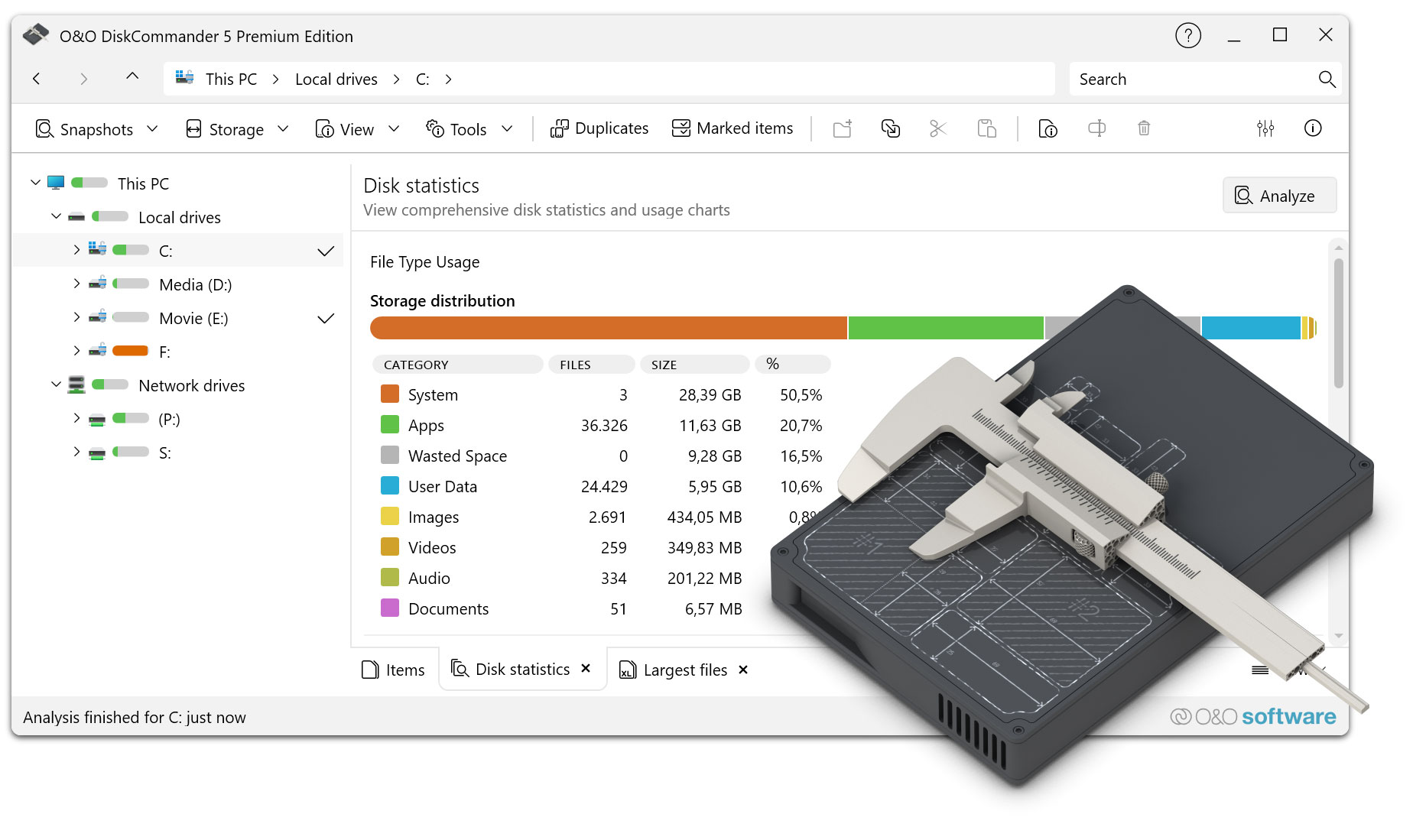
O&O DiskCommander is an analysis tool for Windows that transparently displays the use of hard disks and data carriers. It helps to quickly identify memory hogs, understand data structures and free up space in a targeted manner.
2. Which data carriers can O&O DiskCommander analyze?
O&O DiskCommander analyzes internal hard drives, SSDs and external data carriers such as USB drives or external hard drives. Large data carriers with extensive data sets are also fully supported.
3. Does the analysis change data?
No. O&O DiskCommander works purely analytically. No data will be changed or deleted unless you explicitly trigger this yourself.
4. Can I delete files directly from O&O DiskCommander?
Yes. Found files and folders can be opened directly in Windows Explorer and deleted if necessary. Control remains with the user at all times.
5. How does O&O DiskCommander help me free up storage space?
By visually displaying memory usage, large, old or rarely used files can be quickly identified. In this way, data that takes up unnecessary storage space can be removed or stored in a targeted manner.
6. Is installation necessary?
No. O&O DiskCommander does not need to be installed and can be used immediately after starting.
7. How fast is the analysis of large disks?
O&O DiskCommander is designed for high performance and analyzes even large data carriers with many files reliably and quickly.
8. For which Windows versions is O&O DiskCommander suitable?
O&O DiskCommander supports Windows 10 and Windows 11 in all editions as well as Windows Server from 2016 to 2022.
9. Does O&O DiskCommander require an internet connection?
An internet connection is required, for example for license checks or to obtain updates.
10. Is O&O DiskCommander also suitable for IT administrators?
Yes. Thanks to detailed analysis functions, clear display and support for server operating systems, O&O DiskCommander is suitable for both private users and professional IT environments.
11. Can I also check external data carriers with O&O DiskCommander?
Yes. External hard drives, USB sticks and other connected data carriers can be analysed as well as internal drives.
12. In which languages is O&O DiskCommander available?
O&O DiskCommander is available in several languages and usually adapts automatically to the Windows system language you have set.

About us Blog For Partners Contact
Our Products Order Downloads Protecting Your Security - Securing Your Privacy
Support FAQ Platform Status News & Releases
Social Commitment Press Releases O&O Labs The O&O Group
© 1997-2026 O&O Software GmbH, Berlin
Privacy Policy Terms & Conditions EULA Cancel subscriptions Imprint