
• Backup & transfer data
      • O&O DiskImage Professional data backup for your PCs
      • Rescue data & systems
      • O&O DiskRecovery Professional data recovery made easy
      • O&O BlueCon Disaster recovery when a pc or server no longer starts
      • PC Migration Windows 11
      • Migration Kit for Windows 11 The Easy PC Migration
      • Optimize systems
      • O&O Defrag Speed up your Windows PC
      • O&O DiskCommander Disk Analysis & Backup Testing
      • Cloud solutions
      • O&O Syspectr Free IT management solution from the cloud
      • O&O FileDirect Send files. Easily. Securely.
      • Protect data & systems
      • O&O SafeErase Secure data deletion
      • Freeware
      • O&O ShutUp10++ Antispy tool for Windows 10 and 11
      • O&O RegEditor Editing the Windows Registry
      • O&O AppBuster Bust Apps you do not want
      • O&O Lanytix Quick and easy Network Analysis in the LAN
      • O&O DeskInfo All important system information directly on the desktop
      • NEW: O&O ToolBox Our top products in
        a package at a special price!
      • View all products Discover all our tools for Windows
      • Downloads Get installation and portable applications
      • O&O Blog Stay up-to-date with our blog
      • Corporate Solutions Benefits for your company
      • Protect Enterprise Data
      • O&O DiskImage Backup solution for your business
      • O&O DiskImage Enterprise Data backup and system recovery at industrial levels
      • Productivity Boost
      • O&O Defrag Maximum performance for your Windows servers and PCs
      • Enterprise-Wide Data Recovery
      • O&O DiskRecovery Professional data recovery at the push of a button
      • O&O BlueCon The recovery system when a computer or server no longer starts
      • Protect Your Enterprise Data
      • O&O SafeErase Secure data deletion for critical business data
      • Freeware
      • O&O ShutUp10++ Compliance use of Windows in businesses
      • Your IT Management in the Cloud
      • O&O Syspectr Remote Monitoring and Management for Windows
      • O&O Blog Stay up-to-date with our blog
      • O&O PowerPack Enterprise The complete solution for your servers and PCs at a bargain price!
    • View all products >>>
      • Ressources
      • Documentation Documents related to O&O products
      • User's guides online Read manuals online
      • Downloads Download archive
      • Whitepapers Studies and whitepapers
      • FAQ Frequently asked questions
      • First aid First aid in the event of data loss
      • Get support
      • Overview Our service offers
      • Registration Register your O&O product
      • Trial users Support for trial users
      • Registered customers Support for registered customers
      • License recovery Resend your O&O license
      • Partner
      • O&O Partner Program Your advantages as an O&O Partner
      • O&O Partners Authorized O&O Partners in your region
      • Company
      • About us Leading manufacturer of system tools
      • Product releases List release dates and versions
      • The O&O Group Made in Berlin. Made in Germany.
      • Team Our management team
      • Contact us How to contact O&O
    • Contact
    • Newsletter

Business Private Partners

O&O DiskCommander 5

Disk Analysis & Backup Testing

from 29,90 €

Buy Now
Try for free
30-day money back guarantee Included in the O&O ToolBox – for €59.90 per year
O&O DiskCommander 5 - Disk Analysis & Backup Testing
Windows 10 Windows 11
Looking for easy backup? Find out more here.
  • Overview
  • Features
  • Screenshots
  • Support
  • What’s New
  • Upgrade
  • Buy Now

Changes in the respective versions of O&O DiskCommander (changelog)

Version 5.0

5.0.1018 – released on 01/21/2026

Added:

  • Virtual disk support
    • Analysis of VHD/VHDX disk images and O&O DiskImage files without mounting
    • Copy/paste to extract files from backups
  • Open Files
    • Display of all currently opened/locked files incl. Process Information
    • Filtering by Drive/Folder
    • Context menu actions for file management
  • Analysis comparison
    • Comparison of two disk analyses side by side
    • Visual change indicators: added, deleted, changed, unchanged
  • File management
    • Rename files and folders directly in List View (F2 or long click)
    • Display of SHA1 and SHA256 hash values for integrity check and duplicate detection
  • Views & Visualization
    • Custom View Modes: Details, Small/Medium/Large Tiles, Icons
    • Thumbnail previews for image files (48×48 to 256×256) in tile and icon views
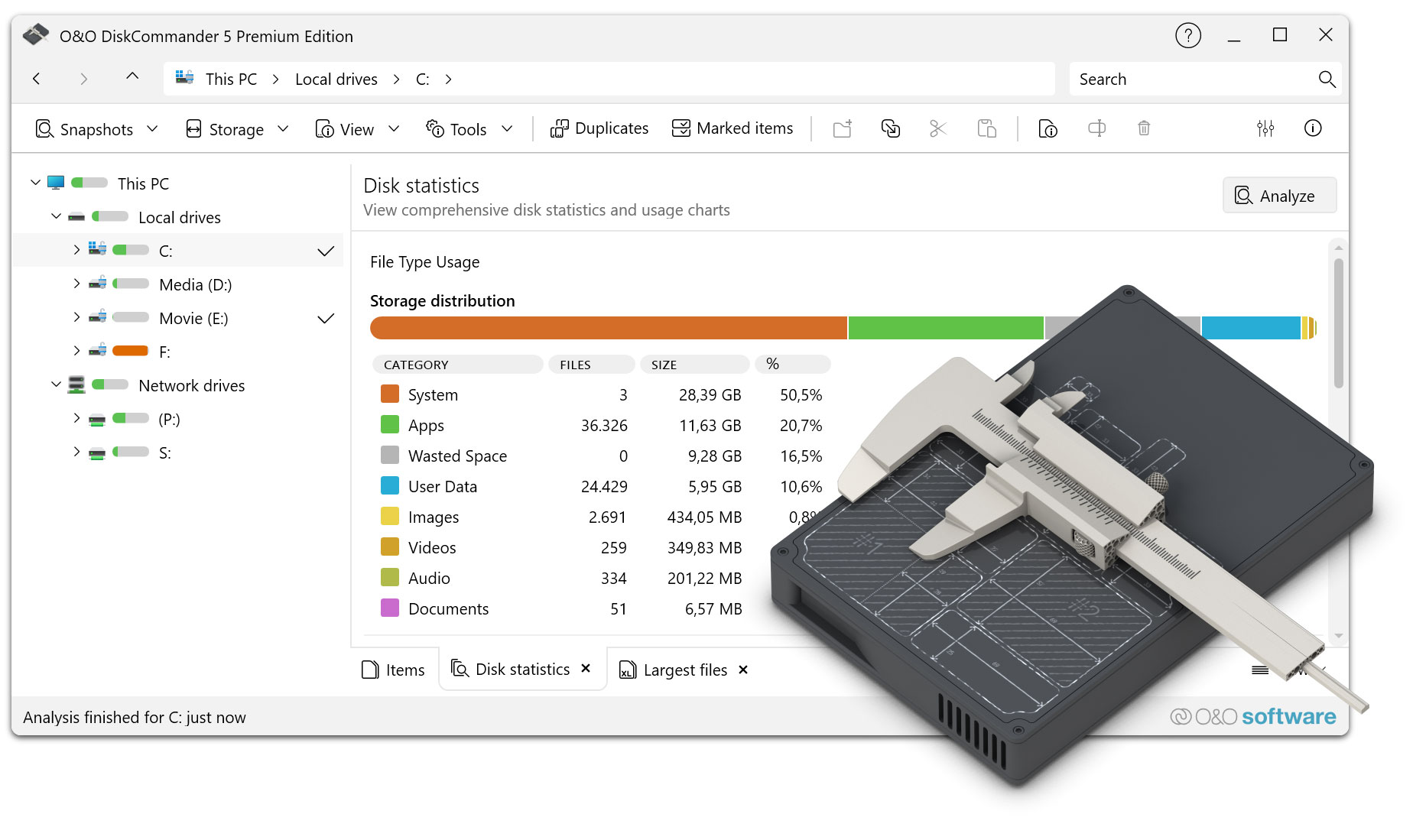
    • File type usage display with breakdown (images, videos, audio, documents, apps, system, user data)
  • Analysis & Operation
    • Analysis queue management for multiple analyses incl. intelligent demolition dialog
    • Automatic analysis start when switching to statistics views without data
    • Incremental statistics: Live results during the scan (configurable refresh intervals)
    • Disk information control with capacity, file counts, fragmentation status, and hardware info (WMI)

Optimized:

  • Faster application startup performance
  • Optimized marking/demarking operations for large amounts of files
  • Improved hash calculation performance for faster duplicate detection

Modified:

  • User Interface
    • Consistent and improved terminology throughout the application
    • Improved menu organization and structure for easier navigation
    • Menu-driven access to tab control and view switching for better findability
    • Improved tab scrolling behavior for overflow tabs
    • Advanced header with additional features and controls
  • Configuration & Settings
    • New Duplicate Detection Configuration Options (Customizable Search Criteria)
  • Architecture & Code Quality
    • Improved management of concurrent analysis operations to avoid conflicts
    • Improved file category classification system with more accurate type recognition

Info:

  • Compatible with Windows 10 and Windows 11; x86 and x64 architecture
  • Available in German, English, French, Italian, Spanish, Russian, Japanese and Chinese (Simplified)

Version 4.5

4.5.1364 – published on 04/18/2024

Added:

  • Available as an installation version alongside the previous Portable application
  • Optimization of analysis performance when searching over a large number of files
  • Revision of the user interface
  • Simplified navigation in the tabs
  • Menu items restructured

Fixed:

  • Wrong icon in context menus
  • Possible crash with special access permissions to directories
  • Various small bugs

Info:

  • Available in German, English and French

Version 4.0

4.0.1363 – released on 09/26/2023

Added:

  • Display of all selected elements in your own view
  • Toolbar for faster navigation
  • Menu for direct access to evaluations
  • View menu restructured
  • Security prompt when deleting files
  • Settings for security prompt when deleting files
  • Settings for Considering Removable Drives and Drives That Are Not Ready
  • Deletion of duplicates only possible via marked files
  • Automatic detection of connection states of network drives

Fixed:

  • Copying file types caused a crash
  • View optimized for statistics overview

Info:

  • Available in German, English and French

4.0.1362 – released on 03/29/2023

Fixed:

  • Fixed error when pasting into the address bar from the clipboard
  • Fixed tagging for duplicates
  • Duplicate search possible on the entire computer
  • Fixed a bug when starting when transferring data to the Notepad
  • Fixed issue with mapped drives when starting Windows
  • Minor layout adjustments
  • Typos corrected in some languages

Info:

  • Available in German, English and French

4.0.1361 – Published on 03/14/2023

Info:

  • Analysis of directories, drives, drive groups or the entire computer
  • Possibility to save the analysis results in order to be able to analyze the directory structure even without a drive
  • New UI with explorer-like navigation
  • In-depth statistics
  • Tree map for graphical representation of the space consumption of directories and files
  • Prediction of whether and when the storage space will be used up with current constant development
  • Search for files and directories
  • Finding Duplicates
  • Marking files across directory and partition boundaries
  • Shell Operations
  • Batch processing of files and directories
  • Cloud Files: Consideration of Microsoft OneDrive Files
  • Available in German, English and French

About us Newsletter For Partners Contact
Our Products Order Downloads Protecting Your Security - Securing Your Privacy
Support FAQ Platform Status News & Releases
Social Commitment Press Releases O&O Labs The O&O Group
© 1997-2026 O&O Software GmbH, Berlin
Privacy Policy Terms & Conditions EULA Cancel subscriptions Imprint
