The new O&O DiskImage 22 Premium: Backup and protect your data – it's never been this easy! More Info
      • Backup & transfer data
      • O&O DiskImage Professional data backup for your PCs
      • Rescue data & systems
      • O&O DiskRecovery Professional data recovery made easy
      • O&O BlueCon Disaster recovery when a pc or server no longer starts
      • PC Migration Windows 11
      • Migration Kit for Windows 11 The Easy PC Migration
      • Optimize systems
      • O&O Defrag Speed up your Windows PC
      • O&O DiskStat Optimize storage space and work better with Windows
      • Cloud solutions
      • O&O Syspectr Free IT management solution from the cloud
      • O&O FileDirect Send files. Easily. Securely.
      • Protect data & systems
      • O&O SafeErase Secure data deletion
      • Freeware
      • O&O ShutUp10++ Antispy tool for Windows 10 and 11
      • O&O RegEditor Editing the Windows Registry
      • O&O AppBuster Bust Apps you do not want
      • O&O Lanytix Quick and easy Network Analysis in the LAN
      • O&O DeskInfo All important system information directly on the desktop
      • NEW: O&O ToolBox Our top products in
        a package at a special price!
      • View all products Discover all our tools for Windows
      • Downloads Get installation and portable applications
      • O&O Blog Stay up-to-date with our blog
      • Corporate Solutions Benefits for your company
      • Ressources
      • Documentation Documents related to O&O products
      • User's guides online Read manuals online
      • Downloads Download archive
      • Whitepapers Studies and whitepapers
      • FAQ Frequently asked questions
      • First aid First aid in the event of data loss
      • Get support
      • Overview Our service offers
      • Registration Register your O&O product
      • Trial users Support for trial users
      • Registered customers Support for registered customers
      • License recovery Resend your O&O license
      • Partner
      • O&O Partner Program Your advantages as an O&O Partner
      • O&O Partners Authorized O&O Partners in your region
      • Company
      • About us Leading manufacturer of system tools
      • Product releases List release dates and versions
      • The O&O Group Made in Berlin. Made in Germany.
      • Team Our management team
      • Contact us How to contact O&O
  • Private users
    Private users Business customers Partners
  • Get your US$10 voucher

O&O SafeErase 20

Protect your privacy from data spies

now 29,90 €

Buy Now
Try for free
30-day money back guarantee
O&O SafeErase 20 - Protect your privacy from data spies
Windows 10 Windows 11
Do you want to use this product in your company? Find out more here.
  • Overview
  • Features
  • Screenshots
  • Support
  • Upgrade
  • Buy Now

Securely delete data – permanently and traceably

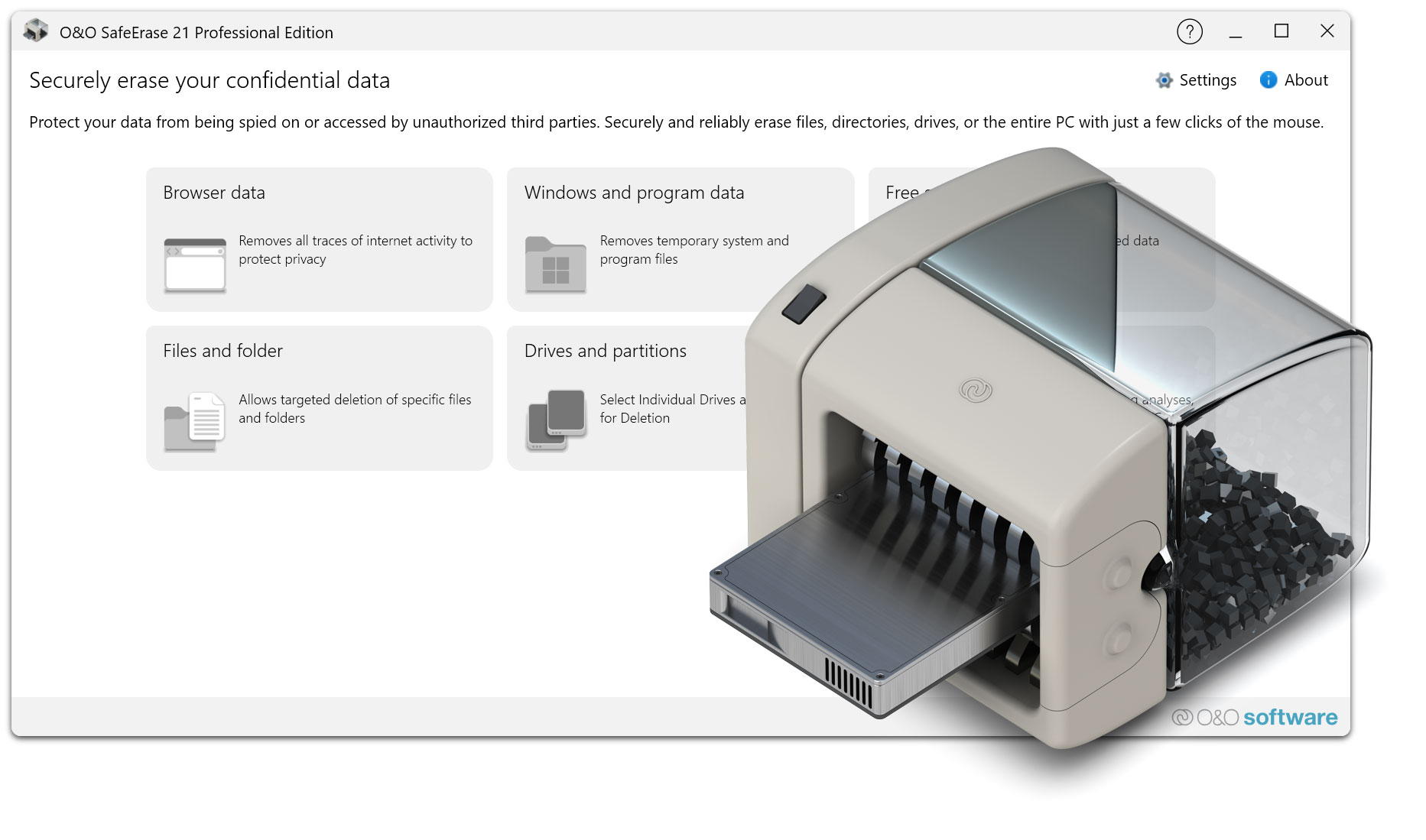
O&O SafeErase Professional Edition enables the secure and irrevocable deletion of sensitive data on your PC. Whether it’s individual files, entire folders, or entire disks, certified deletion methods and ease of use ensure that confidential information is permanently removed. In this way, you protect your privacy, meet data protection requirements and reliably prepare systems for transfer or disposal.

Secure and irrevocable data deletion

  • Permanently delete sensitive files and folders without the possibility of recovery
  • Protection against data misuse through professional overwriting
  • Suitable for private, business and confidential information
  • Deletion of data that is not safely removed with normal Windows functions

Certified extinguishing methods according to international standards

  • Support for recognized security standards such as DoD 5220.22-M, BSI, and Gutmann
  • Multiple overwriting of data according to defined procedures
  • Individual selection of the extinguishing method depending on the security requirements
  • Transparent representation of the method used before the deletion process
  • Suitable for data protection and compliance requirements

Secure deletion of entire drives and partitions

  • Complete cleanup of entire disks and individual partitions
  • Support for internal and external data carriers
  • Suitable for HDDs, SSDs, USB sticks and memory cards
  • Ideal for preparing hardware for sale, distribution or disposal
  • Avoidance of data remnants on decommissioned devices

SSD-optimized erasing procedures

  • Specially adapted methods for solid state drives
  • Gentle deletion without unnecessary writing strain
  • Consideration of modern SSD technologies and controllers
  • Secure removal of data even during wear-leveling
  • Preservation of the service life of the SSD through adapted deletion strategies

Seamless integration with Windows

  • Direct integration into the Windows context menu
  • Secure deletion by right-clicking on files and folders
  • No detour via the main program necessary
  • Quick access to all important deletion functions
  • Intuitive operation in the familiar Windows environment

Automated and time-controlled deletion

  • Predictable deletion of sensitive data at fixed times
  • Automatic execution according to defined rules
  • Reduction of manual work steps in everyday life
  • Suitable for periodic temporary or sensitive data
  • Increased safety through consistent automation

Secure removal of Internet and program data

  • Clear browsing data such as cache, cookies, and history
  • Removal of temporary files and program residues
  • Removal of traces of use and activity
  • Protection of personal browsing and usage data
  • Increased privacy when sharing computers

Logging and traceability

  • Creation of detailed deletion protocols
  • Documentation of time, scope of data and method used
  • Proof of successful deletion operations
  • Support with internal policies and data protection requirements
  • Suitable for audits and documentation obligations

High security and system stability

  • Use of only official Windows file system interfaces
  • Maximum data security during the deletion process
  • Stable operation even with large amounts of data
  • No impact on running applications
  • Reliable design even in continuous operation

Easy and safe operation

  • Clear user interface with a clear structure
  • Guided extinguishing processes to avoid operating errors
  • Clear warnings of irreversible actions
  • Suitable even for users without in-depth technical knowledge
  • Fast induction without training effort

Support for modern Windows systems

  • Optimized for current Windows versions
  • Compatible with popular file systems
  • Reliable use on stand-alone systems and workstations
  • Regular adaptation to new versions of Windows

For private and professional use

  • Suitable for private users, home office and individual workstations
  • Helps companies comply with data protection regulations
  • Ideal for the secure handling of sensitive data in everyday work
  • Useful for device changes, employee changes or system retirement
About us Blog For Partners Contact
Our Products Order Downloads Protecting Your Security - Securing Your Privacy
Support FAQ Platform Status News & Releases
Social Commitment Press Releases O&O Labs The O&O Group
© 1997-2026 O&O Software GmbH, Berlin
Privacy Policy Terms & Conditions EULA Cancel subscriptions Imprint