 30-day money back guarantee


Changes in O&O DiskImage Premium Versions (Changelog)
Version 23
23.1.26049 - released on October 21, 2026
Changed
- Scheduled backups now generate new file names without spaces or quotation marks; existing backup plans retain their current file names
- When an update to a new major version is offered, download and installation prompts now identify the new version
- Improved keyboard and screen-reader accessibility: the Tab key enters the side navigation and the settings page list only once; arrow keys navigate between entries, and setting descriptions are read aloud
- Storage estimates for VHD/VHDX backup plans now account for excluded files; a note clarifies that exclusions apply only to O&O's own image format
- More detailed error messages when a USB startup medium cannot be created
Fixed
- Restored files retain their original creation and modification timestamps rather than receiving a later modification date
- VHD/VHDX backups no longer fail on their first run after changing the file format in a backup plan
- GPT-partitioned data disks are once again available as restore targets while Windows is running; previously, system backups only offered restarting into the recovery environment for every drive
- The notice that Windows cannot be restored while running is now shown only for backups containing Windows
- USB startup media can now also be created on USB sticks without a partition table or on devices that reject conventional partitioning
- In the recovery environment, an older Windows installation on another disk no longer receives drive letter C:; the original Windows installation retains its drive letters
- The creation date in a startup medium's information file now follows the date format of the application language
23.0.26039 - released on October 13, 2026
Added
- Automatic second backup copy to another drive, network share, S3-compatible storage, or WebDAV server
- Verification, progress tracking, and retry options for second copies, with warnings when destinations are unavailable
- Second copies preserve complete backup chains and respect the selected history settings
- Background cloud transfers with automatic retries and resumable S3 uploads
- Recovery from a second copy, including downloading versions stored only in the cloud
- Time-based backup history presets and custom retention periods with storage estimates
- Weekly or monthly full backups for the selected history, with cleanup after successful backups
- History overview showing planned deletions, retention reasons, and options to keep individual versions permanently
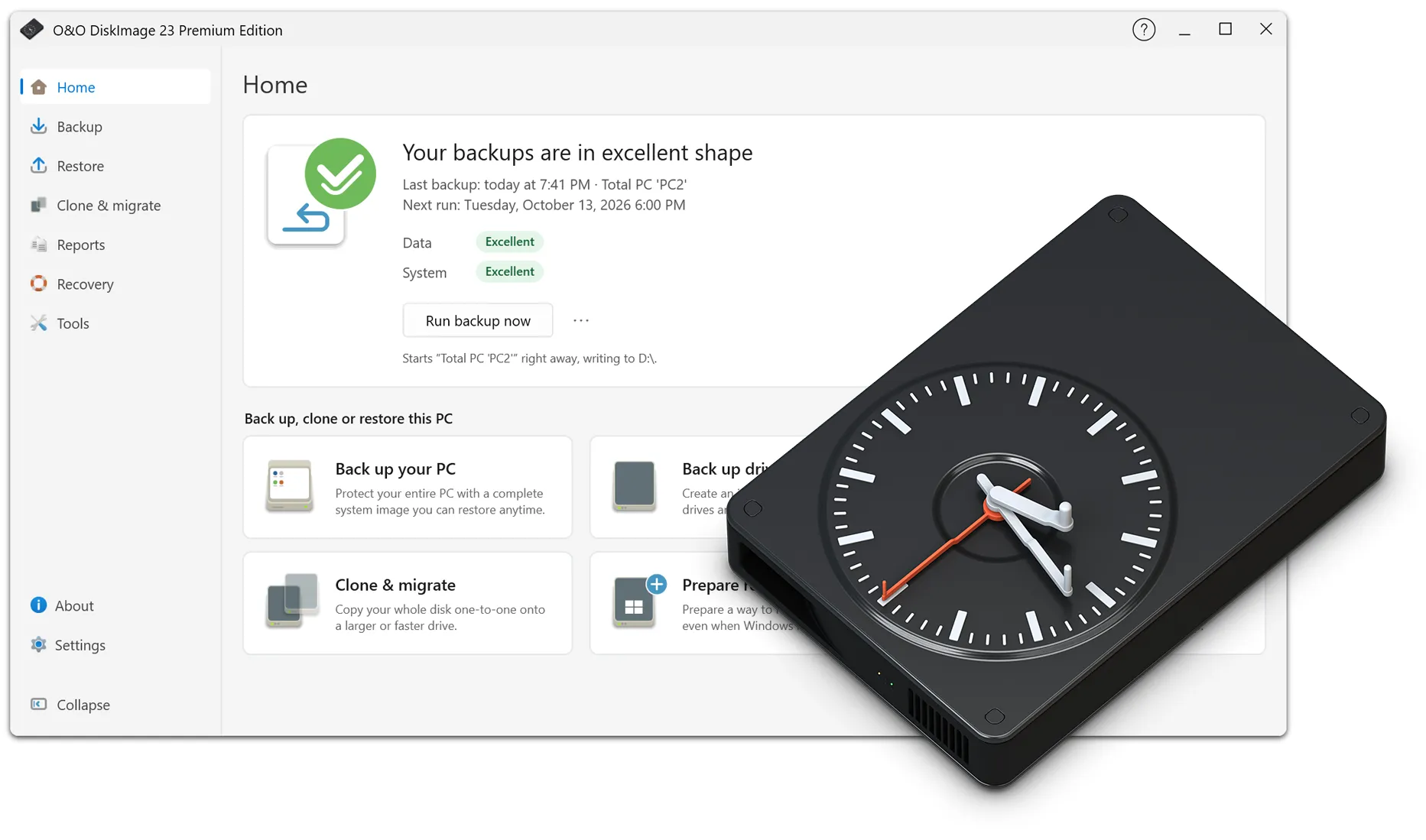
- Home screen showing backup status, recovery readiness, and guidance for the first backup
- Central management of backup destinations with priorities, availability, and free space
- Change the sources in an existing backup plan; the next backup will be a full backup
- Run a one-time full backup without changing the backup plan
- Pause and resume backup schedules directly in the application
- Monthly schedules and optional wake from sleep for scheduled backups
- Backups, restores, and cloning continue after the application closes; progress is shown again when it is reopened
- Scheduled background backups with progress, cancellation, reports, and automatic history cleanup
- Email and Windows notifications about operation results, configurable per backup plan or in settings
- Progress tracking and cancellation when deleting or moving backups
- Pin backup plans and reports and view each plan's execution history
- Restore entire drives to smaller targets if the backed-up data fits
- Restart into the recovery environment with the selected backup already loaded
- Create bootable media and use the recovery environment during the trial period
- Tools to create VHD/VHDX images from physical disks and restore them to physical disks
- Choose fixed-size or dynamically expanding virtual disks when creating or converting images
- Customizable recovery defaults and folder-naming templates
- Option to let the display turn off during backups
- Additional languages: Czech, Dutch, Korean, Polish, Portuguese (Portugal and Brazil), Turkish, Ukrainian, and Traditional Chinese
Improvements and Changes
- Redesigned interface with collapsible navigation and separate views for backup, recovery, cloning, and reports
- Create and edit backup plans on one page, including the option to verify backups afterward
- Unified settings dialog and clearer scheduling options
- Improved keyboard navigation, screen reader support, dark mode, and layout in small windows
- Faster startup and smoother browsing of network destinations and backup contents
- Simpler file selection for backup and recovery, with search and filters
- Direct access to the latest backup and clearer actions for individual versions
- Guided import and verification of existing backups
- Expanded context-sensitive online help for the new views and options
- More accurate storage estimates, write speeds, remaining times, and progress indicators
- Compact progress window and redesigned system tray display with status, results, and cancellation
- Clearer reports showing scheduled and actual start times, results, and reasons for full backups
- Virtual disks included in backups by default; O&O DiskImage's own backup images remain excluded
- Whole-PC backups exclude drives used only as backup destinations
- Extended support for Hyper-V checkpoints (.avhd/.avhdx), mounting, and file recovery from VHD backups
- Smaller VHD/VHDX images by omitting unused space; mounting on the original PC is supported
- VHD/VHDX drive backups require unused source volumes and a destination on another physical disk
- Unsupported ZIP compression is no longer offered for drive images
- Improved drive-triggered backups and catch-up after reconnecting an external backup drive
- Scheduled network backups wait for temporarily unavailable destinations
- Improved handling of incomplete backups, source read errors, and lost snapshots
- Clearer distinction between missing backup files and temporarily unavailable storage
- Improved recovery and cloning target selection, including disk changes, free space, and partition assignments
- More accurate free-space checks for file recovery and verification of restored files
- Clearer mounting errors and detection of backups already mounted
- Improved cancellation and coordination of running operations with shutdown and sleep
- Improved bootable media creation, recovery environment startup, and drive-letter assignment
- Recovery environment can be rebuilt or removed, with clearer notices when updates are needed
- 'Fortress Mode' renamed to 'Recovery Environment'
- Improved installation, migration of existing backup plans, and trial notices
- More consistent handling of folder exclusions and existing filename templates after language changes
- Improved file recovery into the backup folder and license detection in the recovery environment
Version 22
22.6.1231 - released on April 21, 2026
Added
- NAS/network credential management: Permanently store NAS credentials in Windows Credential Manager for seamless access to network backup locations
- NAS/network credential management: Dedicated network credentials dialog to enter and verify credentials when accessing network shares
- NAS/network credential management: Automatically reuse credentials when mounting or restoring backups from NAS/UNC paths
- NAS/network credential management: Interactively request NAS credentials when opening backup files on network shares
- Backup reports now show how a backup was initiated (for example, manually, by schedule, or by hotplug) for better traceability
- Support for more than 10 partitions and disks during backup and restore operations
- Pre-check of BitLocker readiness to detect locked drives before a backup starts
- Detection and appropriate handling of exhausted disk quotas
- Automatically remove orphaned backup-set entries when no valid backup files or reports remain
Improvements
- System tray application: Native implementation for better system integration
- User interface: Debounced, asynchronous path validation in file and folder selection controls
- User interface: Restore buttons are now disabled when a deleted backup is selected
- User interface: Improved display of estimated remaining time for lengthy operations
- Scheduled tasks: Improved compatibility with User Account Control
- Scheduled tasks: Improved handling when recreating expired one-time tasks
- Performance: Shorter delays after backups and optimized background processing
- Localization resources reviewed and harmonized
- Localization: Improved translations of completion progress messages in all languages
- Architecture: Improved component structure and reusability
- Recovery environment: Ensure that the temporary path exists in WinPE/RE environments
Fixes
- Restore operations: Fixed a crash when restoring VHD images
- Restore operations: Fixed errors when navigating between VHD images
- Fixed an incorrect partition list in the restore dialog for selected backup files
- Fixed loss of folder structure when selecting files to restore from OBK file backups
- Backup operations: Fixed loading errors with USB backups
- Backup operations: Fixed errors caused by an incorrect dependency version
- Licensing: Fortress Mode no longer overrides normal license settings
- Improved drive detection: Label-based fallback is used only when drive identification is ambiguous
- Fixed crashes in browse dialogs when NAS/UNC paths are inaccessible
- Improved error messages for invalid backup drives
- Extended logging when filtering RAW or unknown drives
22.5.1214 - released on March 10, 2026
Added
Backup scheduling
- Hourly backup schedule for automatic backups every hour
- Continuous backup schedule with configurable intervals (from immediately to 24 hours)
- Preset intervals for continuous backups: Immediately (0 s), 5 min, 10 min, 15 min, 30 min, 1 h, 2 h, 4 h, 8 h, 12 h, 24 h
- Catch-up backups with an extended grace period for scheduled tasks
Restore operations
- Restore to a smaller partition using a custom target-size dialog
- Choose a custom partition size when restoring to smaller drives
Installation and maintenance
- /removetasks command-line option to automatically clean up scheduled tasks on uninstall
- Final-task dialog is shown before software updates or uninstallation
Drive detection
- Improved hotplug detection using multiple drive identification criteria
- Improved USB drive detection for more reliable backups
Changed
User interface
- Improved interval selection for continuous backups with a drop-down menu instead of free-form text
- Improved layout and alignment in the scheduling dialog
Localization
- More consistent German terminology throughout the application
Fixed
Scheduled tasks
- Execution policy is no longer blocked by retention policy validation
- Full backups now start correctly when required by the execution policy
Security
Scheduled tasks
- Extended validation to prevent conflicts between execution and retention policies
- Improved handling of permissions for scheduled tasks
22.4.1206 - released on February 4, 2026
Added
Backup scheduling
- Hourly backup schedule for automatic backups every hour
- Continuous backup schedule with configurable intervals (from immediately to 24 hours)
- Catch-up backups with an extended grace period for scheduled tasks
Restore operations
- Restore to a smaller partition using a custom target-size dialog
Drive detection
- Improved hotplug detection for drive identification
- Improved USB drive detection for backups
Fixed
Scheduled tasks
- Execution policy is no longer blocked by retention policy validation
- Full backups now start correctly when required by the execution policy
- Extended validation to prevent conflicts between execution and retention policies
Information
- Compatible with Windows 11 and Windows 10; x86 and x64 architectures
- Available in German, English, French, Italian, Spanish, Russian, Japanese, and Simplified Chinese
22.3.1149 - released on January 20, 2026
Added:
- Backup management
- Rename backup sets
- Copy-to-clipboard button in the backup information dialog
- Save and open report files directly from the Reports tab
- Rename backup sets next to the backup-set name
- Scheduled tasks
- Validation warnings when deleting backup folders invalidates scheduled tasks
- Validation of retention and execution policies for scheduled tasks
- User-visible error status for invalid scheduled tasks
- Automatically detect missing base backups before a task runs
Fixed:
- Backup operations
- Fixed unhandled exceptions caused by invalid drive paths (UNC paths and subdirectories) in backup destination collections
- Changing the filename template now updates the backup filename in advanced settings
- Fixed background backups being blocked during license verification
- Fixed drive backups failing due to an invalid destination folder
- Changes to template path and filename now regenerate filenames correctly
- Scheduled tasks
- Fixed hotplug backup errors
- Fixed scheduled tasks stopping after 1–2 minutes
- Fixed partition list initialization in background mode
- Task scheduler
- Improved validation of scheduled tasks to prevent errors
- Extended detection of missing backup files before tasks run
- Improved handling of tasks with missing base backups
- Added warnings about conflicts between retention and execution policies
- User interface
- Fixed formatting of partition names and dependency columns
- Improved clipboard operations with retry logic and error handling
- Security
- Drive path validation
- Added comprehensive drive path validation to prevent errors
- Improved exception handling for drive operations
- Improved error logging
- Scheduled tasks
- Added validation to prevent tasks from running when critical backup files are missing
- Improved documentation of permission requirements for scheduled tasks
- Drive path validation
- Information
- Compatible with Windows 11 and Windows 10; x86 and x64 architectures
- Available in German, English, French, Italian, Spanish, Russian, Japanese, and Simplified Chinese
22.2.1142 - released on January 13, 2026
Added:
- Clipboard management
- Support for clipboard operations in remote desktop sessions
Changed:
- Task scheduling
- Improved caching of task status, with proper reset after operations
- Improved detection of orphaned tasks to avoid flagging running or upcoming tasks
- Improved handling of tasks scheduled in the past (moved to the next valid execution time)
- Error handling
- Specific handling of task creation failures
- More detailed error messages with guidance for users
- Logging
- Comprehensive logging of task scheduling operations
- Detailed diagnostic information for troubleshooting scheduling problems
- Extended logging for clipboard operations and retries
- File system
- Corrected handling of file and folder exclusions during backups
Fixed:
- Clipboard operations
- Fixed the "OpenClipboard failed" error when using remote desktop software
- Clipboard operations now work with remote desktop tools
- Task scheduling
- Tasks scheduled in the past now advance to the next valid future date
- Fixed premature deletion of one-time tasks before execution
- Fixed failure to reset cached task status after task deletion
- Valid tasks are no longer incorrectly identified as orphaned
- Fixed missing user notifications when task creation fails
- Error handling
- Fixed missing error dialogs when creating scheduled tasks fails
- Users now receive clear error messages when task operations fail
- Clearer guidance on required administrator privileges
- Information
- Compatible with Windows 11 and Windows 10; x86 and x64 architectures
- Available in German, English, French, Italian, Spanish, Russian, Japanese, and Simplified Chinese
22.0.1122 - released on November 25, 2025
Added:
- Mounting and managing backups
- Mount backups as drives in Windows
- Unmount backups previously mounted in Windows
- Convert backups to virtual drives in VHDX format
- Define retention policies limiting the maximum number of backups
- Manually delete individual backup files from backup sets
- Automatically assign available drive letters when mounting backup images
- Improved handling of encrypted images with stronger password protection
- Streamlined mounting process with fewer steps
- Report management
- View and manage all backup reports in one place
- View detailed information about backup operations
- Delete old or unnecessary reports with confirmation
- Automatically load reports at application startup
- View reports for each backup set in backup management
- Generate reports for failed or cancelled backups
- Startup medium
- Startup media can now be used independently of the original hardware
- Fortress Mode logging
- Automatically record logs when running in the Windows Recovery Environment (WinRE)
- Store logs on the RAM disk (X:) during recovery operations
- Automatically copy logs to their original location on exit
- Comprehensive troubleshooting documentation for recovery scenarios
- Backup validation
- Improved validation dialog that automatically detects the file type (VHD/VHDX or backup file)
- Validation now uses the correct method for each file type
- Backup set management
- Detect incomplete backup sets (missing base backup)
- Disable recovery options for backup sets without a complete base backup
- Clear status indicators show backup-set validity
- Allow viewing backup information even when restoration is not possible
- User experience
- Warnings when a drive is too large for the recovery destination
- Suggestions for alternative file-based recovery options
- Settings management
- New tracking system for changes to settings
- Confirmation dialog when applying backup settings globally
Changed:
- Backup strategy
- Backup strategy can now be changed later in saved tasks
- Compression
- Automatically replace ZIP Deflated with standard compression for drive images
- Changed the disk-image compression algorithm to LZNT1
- Hardware detection
- More reliable detection of external USB drives
- Performance
- Optimized startup sequence
- Faster application startup, especially with slow USB devices
- Background scanning to prevent interface freezes
- Improved responsiveness during backup and recovery
- User interface
- Dark mode optimizations
- Improved legibility of headers in dark mode
- Improved visual feedback
- Improved layout in management views
- Translations
- Corrected French translation errors
- Improved handling of localized text
- Licensing
- Updated licensing system with improved validation
- Improved handling of different machine IDs in recovery mode
- Installation
- Improved installation process with optimized component selection
- Updated installation packages for the Windows Recovery Environment
- Corrected company name for Laplink OEM builds
- Backup operations
- Improved calculation of required storage space
- Improved handling of excluded files and folders
- More accurate storage requirements before starting backups
Fixed:
- Fortress Mode
- Fixed creation of the recovery environment
- Fixed licensing
- Updates
- Update checks previously failed under certain circumstances; fixed
- Critical fixes
- Fixed application freezes with slow USB devices
- Fixed crashes caused by missing backup files
- Improved error handling
- User interface
- Fixed incorrect backup size information
- Corrected layout issues
- Added missing links in help documentation
- Improved display of deleted backups
- Domain users
- Fixed detection of backup permissions for domain accounts
- Resource issues
- Corrected inconsistent text
- Fixed typos
- Fixed issues with the application title
- Installation
- Fixed errors during custom installation
- Corrected Windows shell integration issues
Removed:
- Optical drives (CD/DVD) are no longer offered as backup sources
Security:
- Improved password security for encrypted backup images
- Improved authentication checks for domain user accounts
Information:
- Compatible with Windows 11 and Windows 10; x86 and x64 architectures
- Available in German, English, French, Italian, Spanish, Russian, Japanese, and Simplified Chinese
Version 21
21.0.1094 - released on July 3, 2025
Added:
- New online help system
- Accessibility improvements
Changed:
- Target directory now updates when backup destinations are changed in settings
- Scheduling is no longer available in Fortress Mode because it is not applicable
Fixed:
- Fixed recovery issues in Fortress Mode
- RAM disks are hidden in Fortress Mode
- Fixed failure to shut down the computer automatically after a backup
- Fixed duplication sometimes requiring two attempts to start
Information:
- Compatible with Windows 11 and Windows 10; x86 and x64 architectures
- Available in German, English, French, Italian, Spanish, Russian, Japanese, and Simplified Chinese
21.0.1074 - released on May 28, 2025
Fixed:
- Changed drive assignments in Fortress Mode no longer prevent license recognition
- Shutdown or restart in Fortress Mode no longer causes an error message
- Enlarged the Fortress Mode loading screen
Information:
- Compatible with Windows 11 and Windows 10; x86 and x64 architectures
- Available in German, English, French, Italian, Spanish, Russian, Japanese, and Simplified Chinese
21.0.1073 - released on May 27, 2025
Added:
- Removable drives can now be selected immediately when creating startup media
Changed:
- The application opens in full-screen mode in Fortress Mode
- Closing Fortress Mode now offers an immediate restart or shutdown
- Improved opening of the main application from the system tray application
Fixed:
- Backup drives are identified as unavailable more quickly
- Corrected handling of the exclusion list for drive backups
- The notice about an installed Professional Edition now appears after updates
- Invalid drives can no longer be selected for duplication
Information:
- Compatible with Windows 11 and Windows 10; x86 and x64 architectures
- Available in German, English, French, Italian, Spanish, Russian, Japanese, and Simplified Chinese
21.0.1061 - released on May 13, 2025
Added:
- Added backup of individual files
- A welcome screen is shown when the application starts
- O&O DiskImage Professional and Premium Editions can be installed side by side
- Added a notice when O&O DiskImage Professional Edition is installed
- Added selection of *.avhd and *.avhdx files
- Detect and remove orphaned tasks from Windows Task Scheduler
Changed:
- Redesigned the backup management view
- Only one instance of the startup media creation application can run at a time
- Backup method is hidden for file backups
- Startup media is no longer offered in Fortress Mode
- Backups are synchronized between the main system and Fortress Mode
Fixed:
- Corrected calculation of the next backup time
- Special drive types (such as RAM disks) are now correctly recognized
- Fixed errors when deleting backup tasks in Fortress Mode
- Unrealistically high write speeds are now filtered out
- Corrected the amount of processed data shown when restoring file backups
- Fixed errors caused by missing DLLs in Fortress Mode
- Corrected license management in Fortress Mode
Information:
- Compatible with Windows 11 and Windows 10; x86 and x64 architectures
- Available in German, English, French, Italian, Spanish, Russian, Japanese, and Simplified Chinese
21.0.1031 - released on April 16, 2025
Changed:
- O&O Syspectr can now optionally be integrated into the startup medium
- Unified and redesigned the layouts of O&O BuildPE and O&O ShellConfig
Fixed:
- O&O BuildPE now starts in the selected language and respects dark mode settings
- Fixed startup medium creation
- Fixed extraction of files from VHD/VHDX backups
- Fixed cloning: occupied drives are now offered as targets
Information:
- Compatible with Windows 11 and Windows 10; x86 and x64 architectures
- Available in German, English, French, Italian, Spanish, Russian, Japanese, and Simplified Chinese
21.0.1021 - released on April 9, 2025
First public release