
• Backup & transfer data
      • O&O DiskImage Professional data backup for your PCs
      • Rescue data & systems
      • O&O DiskRecovery Professional data recovery made easy
      • O&O BlueCon Disaster recovery when a pc or server no longer starts
      • PC Migration Windows 11
      • Migration Kit for Windows 11 The Easy PC Migration
      • Optimize systems
      • O&O Defrag Speed up your Windows PC
      • O&O DiskCommander Disk Analysis & Backup Testing
      • Cloud solutions
      • O&O Syspectr Free IT management solution from the cloud
      • O&O FileDirect Send files. Easily. Securely.
      • Protect data & systems
      • O&O SafeErase Secure data deletion
      • Freeware
      • O&O ShutUp10++ Antispy tool for Windows 10 and 11
      • O&O RegEditor Editing the Windows Registry
      • O&O AppBuster Bust Apps you do not want
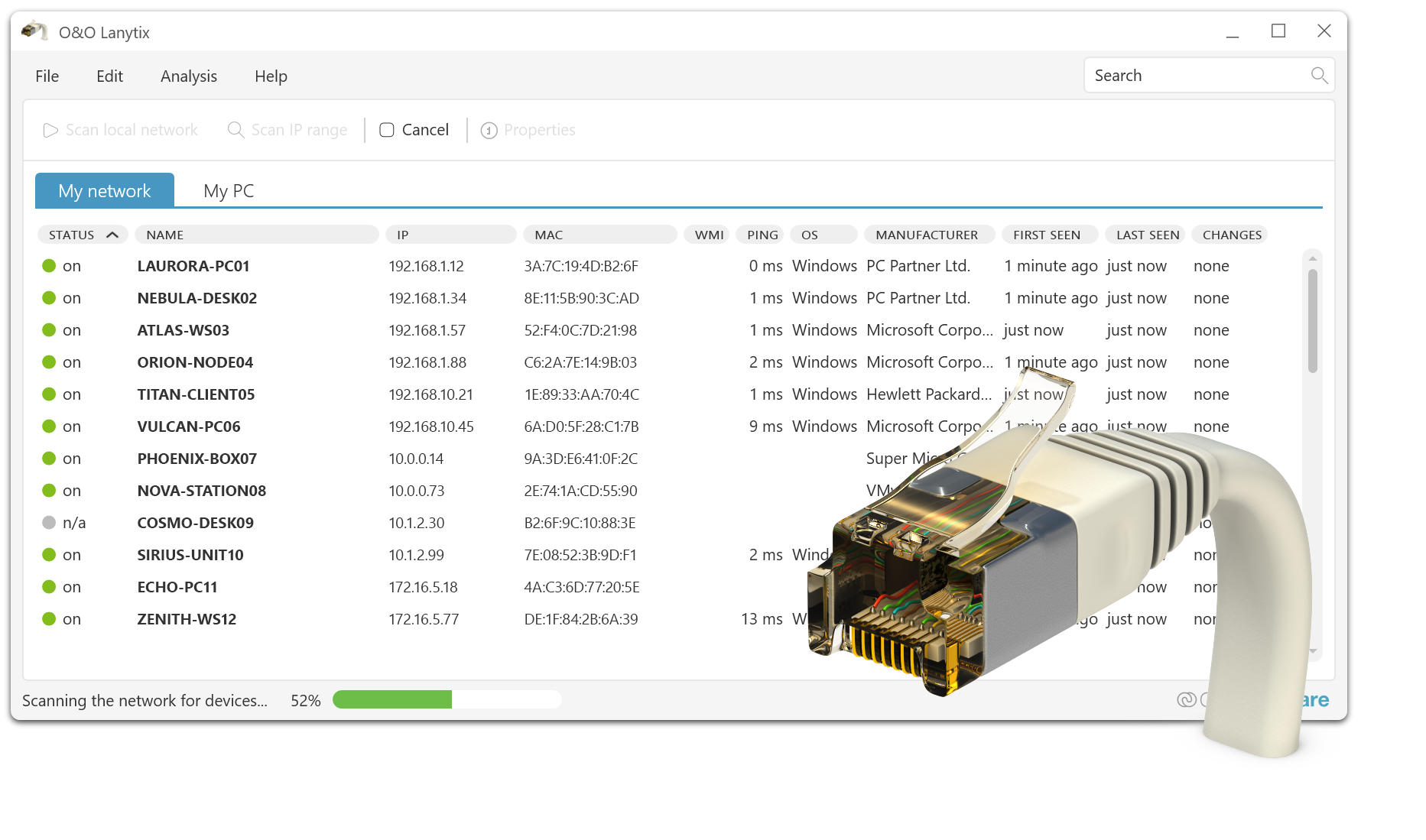
      • O&O Lanytix Quick and easy Network Analysis in the LAN
      • O&O DeskInfo All important system information directly on the desktop
      • NEW: O&O ToolBox Our top products in
        a package at a special price!
      • View all products Discover all our tools for Windows
      • Downloads Get installation and portable applications
      • O&O Blog Stay up-to-date with our blog
      • Corporate Solutions Benefits for your company
      • Protect Enterprise Data
      • O&O DiskImage Backup solution for your business
      • O&O DiskImage Enterprise Data backup and system recovery at industrial levels
      • Productivity Boost
      • O&O Defrag Maximum performance for your Windows servers and PCs
      • Enterprise-Wide Data Recovery
      • O&O DiskRecovery Professional data recovery at the push of a button
      • O&O BlueCon The recovery system when a computer or server no longer starts
      • Protect Your Enterprise Data
      • O&O SafeErase Secure data deletion for critical business data
      • Freeware
      • O&O ShutUp10++ Compliance use of Windows in businesses
      • Your IT Management in the Cloud
      • O&O Syspectr Remote Monitoring and Management for Windows
      • O&O Blog Stay up-to-date with our blog
      • O&O PowerPack Enterprise The complete solution for your servers and PCs at a bargain price!
    • View all products >>>
      • Ressources
      • Documentation Documents related to O&O products
      • User's guides online Read manuals online
      • Downloads Download archive
      • Whitepapers Studies and whitepapers
      • FAQ Frequently asked questions
      • First aid First aid in the event of data loss
      • Get support
      • Overview Our service offers
      • Registration Register your O&O product
      • Trial users Support for trial users
      • Registered customers Support for registered customers
      • License recovery Resend your O&O license
      • Partner
      • O&O Partner Program Your advantages as an O&O Partner
      • O&O Partners Authorized O&O Partners in your region
      • Company
      • About us Leading manufacturer of system tools
      • Product releases List release dates and versions
      • The O&O Group Made in Berlin. Made in Germany.
      • Team Our management team
      • Contact us How to contact O&O
    • Contact

Business Private Partners

O&O Lanytix

Simple network analysis in the LAN
Download for free

Freeware

O&O Lanytix - Simple network analysis in the LAN
Windows 10 Windows 11
Looking for a backup solution? Find out more here.
  • Overview
  • Features
  • Screenshots
  • Support
  • What’s New

Changes in the respective versions (changelog)

Version 1.2

Version 1.2.1342 – released on 08/20/2024

  • NEW: Definition of multiple IP ranges for scanning possible
  • NEW: Own name for a device can be assigned
  • NEW: Free definition of IP ranges directly during the scanning process
  • NEW: Copy of single or multiple device information to the clipboard
  • NEW: Display of device properties and history summarized
  • NEW: Newly found devices are highlighted in the device list
  • NEW: Remove a device from the list
  • NEW: Reading of WMI information (Windows Management Instrumentation) if authorization is available
  • NEW: Update of the network card manufacturers
  • NEW: Revised user interface
  • NEW: Default value for ping timeout increased to 1000ms (will be set on first use)
  • FIX: Correct detection of devices that are in the scanned IP range and not active
  • FIX: Various minor problems fixed
  • Available in German, English, and French

Version 1.1

Version 1.1.1342 – released on 5/16/2023

  • NEW: Revised user interface
  • NEW: Free definition of the IP rank possible
  • FIX: Update of network card manufacturers
  • FIX: Various minor problems fixed
  • Available in German, English, and French

Version 1.1.1341 – released on 03/15/2022

  • NEW: Windows 11 support
  • NEW: Support for Windows Dark Mode
  • NEW: Support for high contrast display in light and dark (High Contrast)
  • NEW: Histories are displayed in their own dialog and can be deleted individually
  • NEW: Revision of the entire user interface and layout
  • FIX: Fixed display of the settings and info icon
  • Available in German, English, and French

Version 1.0

Version 1.0.1340 – released on 6/15/2021

  • NEW: Deleted scan history integrated
  • FIX: Minor bug fixes
  • Available in German, English, and French

Version 1.0.1339 – released on 05/18/2021

  • NEW: Settings of the table are saved (column width, sorting and order)
  • FIX: Minor bug fixes
  • Available in German, English, and French

Version 1.0.1338 – released on 04/27/2021

  • NEW: new info icon
  • FIX: Fixed error at program start
  • FIX: Sorting of IP addresses corrected

Version 1.0.1337 – released on 04/19/2021

  • First published version
About us Blog For Partners Contact
Our Products Order Downloads Protecting Your Security - Securing Your Privacy
Support FAQ Platform Status News & Releases
Social Commitment Press Releases O&O Labs The O&O Group
© 1997-2026 O&O Software GmbH, Berlin
Privacy Policy Terms & Conditions EULA Cancel subscriptions Imprint