
This Editor’s Guide provides IT journalists with information about the latest version of O&O BlueCon. It includes product descriptions as well as evaluation and image materials for free editorial use and reproduction in magazines, newspapers, and on websites.
Short product description
85 Words, 568 charactersO&O BlueCon 25 is a comprehensive recovery environment for Windows PCs and servers that starts even when the installed operating system no longer works. IT administrators can diagnose and repair damaged Windows systems, disable problematic updates and drivers, back up files, and perform recovery operations. The new version features a modernized desktop interface with a Start menu and taskbar, along with tools such as O&O CheckAndRepair, O&O DiskCommander, and O&O UpdateManager. O&O BlueCon boots from recovery media and can also be used in virtual environments.
Standard product description
188 Words, 1308 charactersO&O BlueCon 25 is a comprehensive collection of powerful tools for system recovery, troubleshooting, and offline administration of Windows PCs and servers. The software starts independently of the installed operating system, giving administrators access to damaged Windows installations even when they can no longer boot.
O&O CheckAndRepair can examine and repair the Windows component store, important system files, and the file system. O&O UpdateManager enables the removal of problematic Windows updates. O&O DriverManager and O&O ServiceManager allow drivers and services in a Windows installation that cannot boot to be managed. O&O DiskCommander provides access to files, folders, and drives so important data can be backed up before additional repair operations are performed.
The new version features a modernized recovery environment with its own desktop, Start menu, taskbar, and a familiar Windows-style interface. Improvements to hardware detection, the loading of additional drivers, and BitLocker support make it easier to use on different systems. Recovery media can be created as bootable USB drives or as ISO and WIM images.
O&O BlueCon is suitable for professional system recovery on physical Windows systems and virtual machines. The available features depend on the edition and license.
Detailed product description
492 Words, 3478 charactersO&O BlueCon 25 is a professional recovery environment for diagnosing, repairing, and restoring damaged Windows systems. If a PC fails to boot after a faulty update, a driver prevents Windows from starting, or important data becomes inaccessible, the software provides a wide range of tools for troubleshooting and system recovery.
Unlike conventional Windows utilities, O&O BlueCon works independently of the affected Windows installation. It boots from prepared recovery media and provides access to systems where normal login or administration is no longer possible.
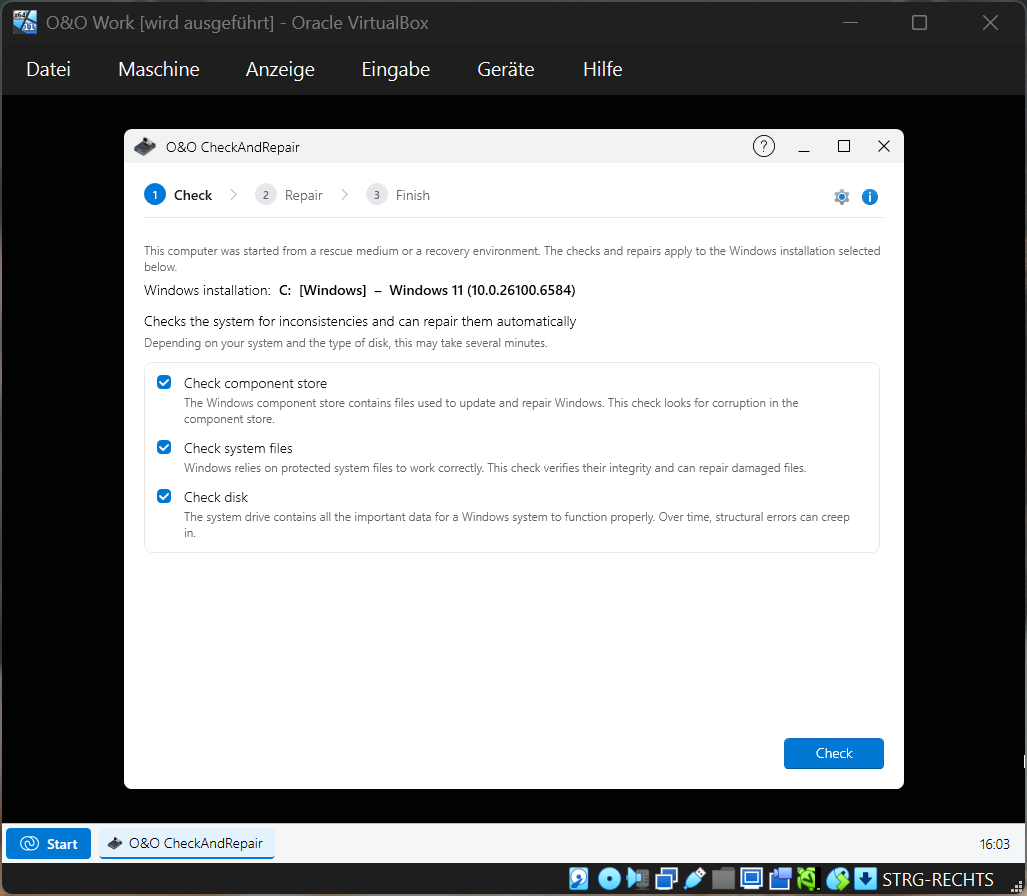
One of the key tools is O&O CheckAndRepair. It checks the Windows component store, system files, and file system for damage and inconsistencies, using established Windows repair mechanisms such as DISM, SFC, and CHKDSK. Detected problems can be addressed in a subsequent repair step. The results can be reviewed using the available logs.
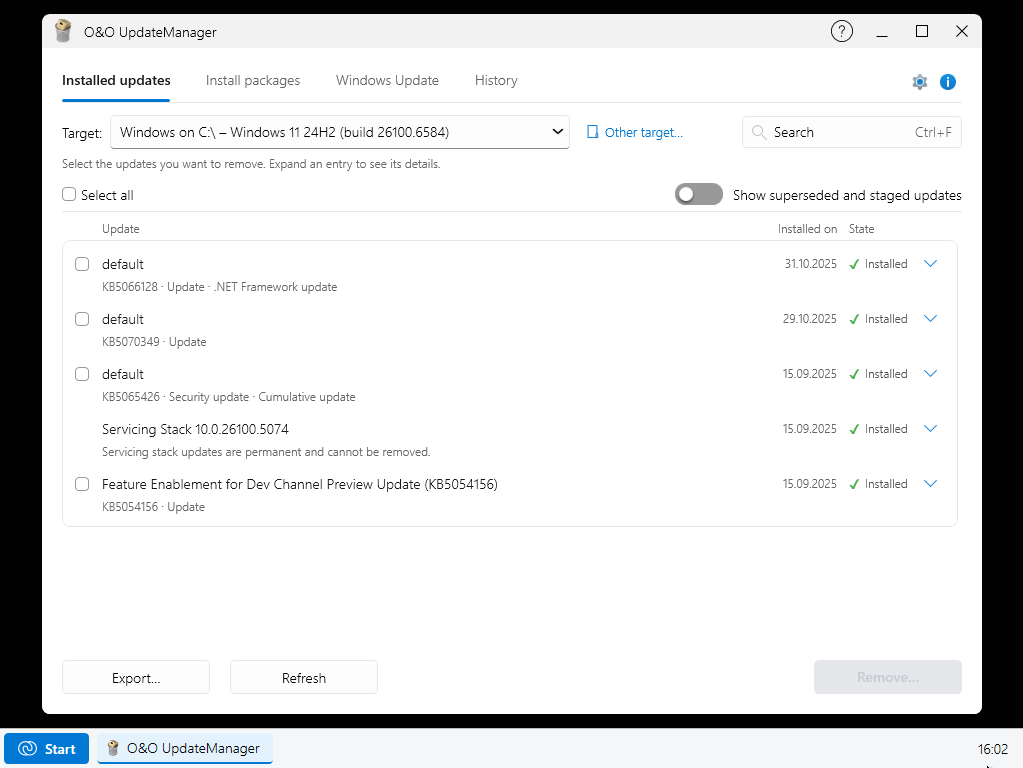
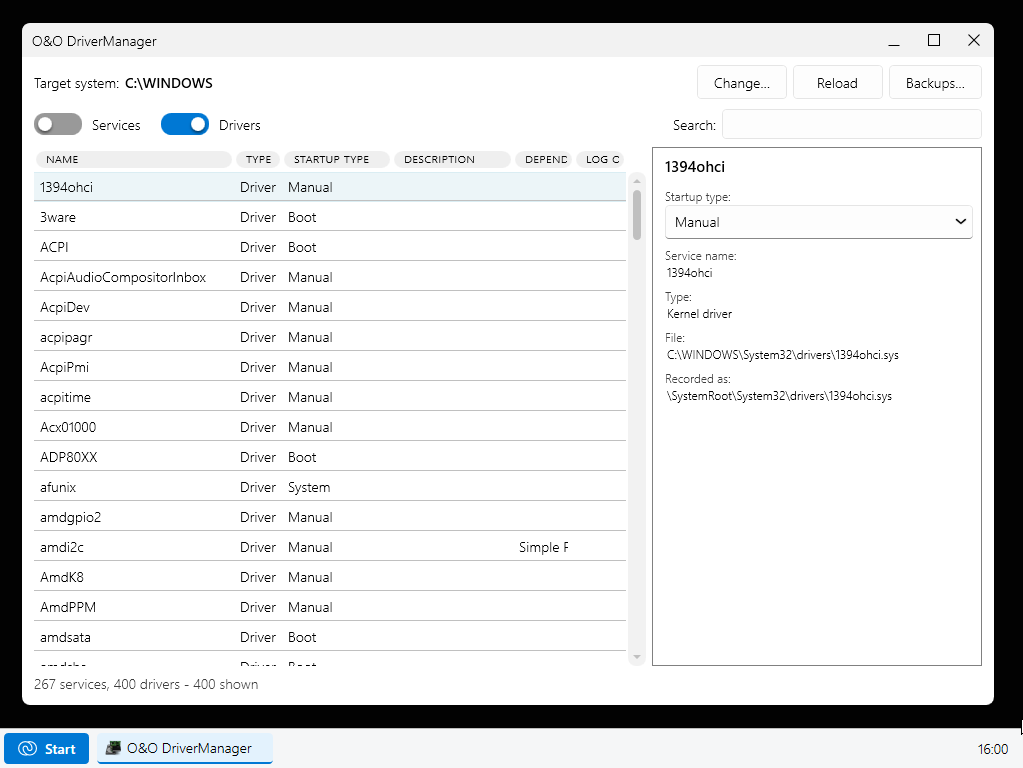
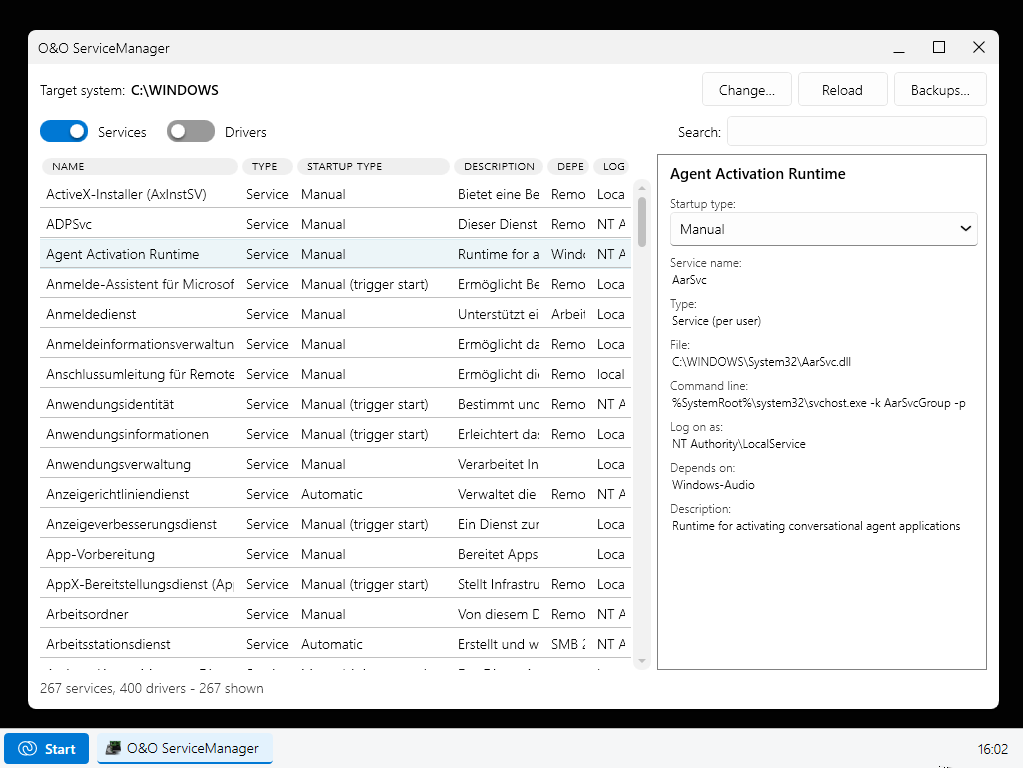
O&O UpdateManager helps resolve problems following Windows updates. It can examine updates installed in an offline Windows installation and remove problematic updates. O&O DriverManager provides tools for managing drivers and their startup behavior, while O&O ServiceManager performs corresponding tasks for Windows services.
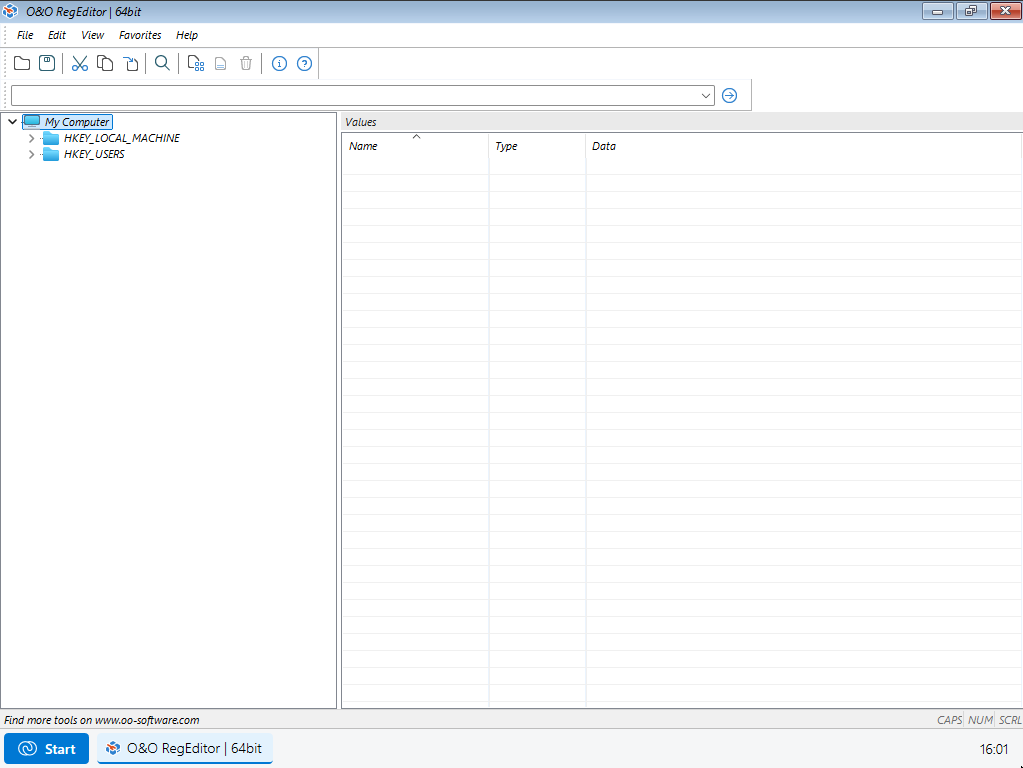
O&O RegEditor allows administrators to edit the registry of a Windows installation that no longer boots. O&O EventViewer can analyze event logs to identify possible causes of crashes, startup problems, and other system errors. O&O UserManager supports the management of local user accounts and groups, including resetting local passwords.
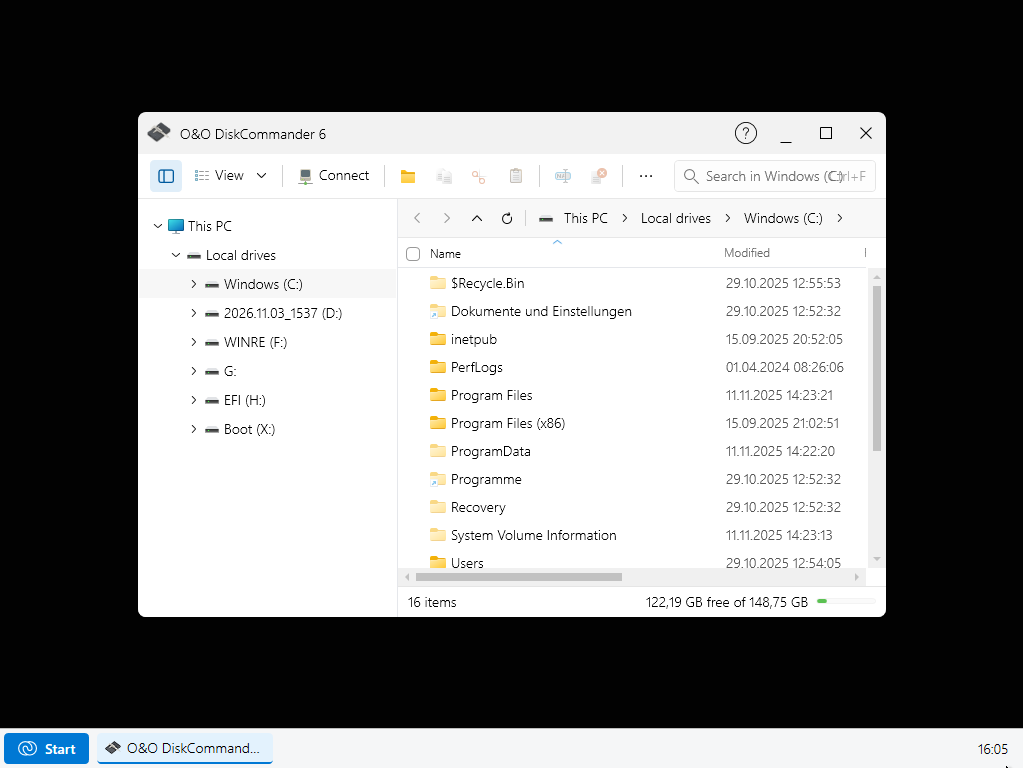
The modernized O&O DiskCommander file manager provides access to files, folders, and drives independently of the installed Windows system. Important files can therefore be copied to external storage before repairs begin. O&O DeskInfo displays and exports information about the affected system.
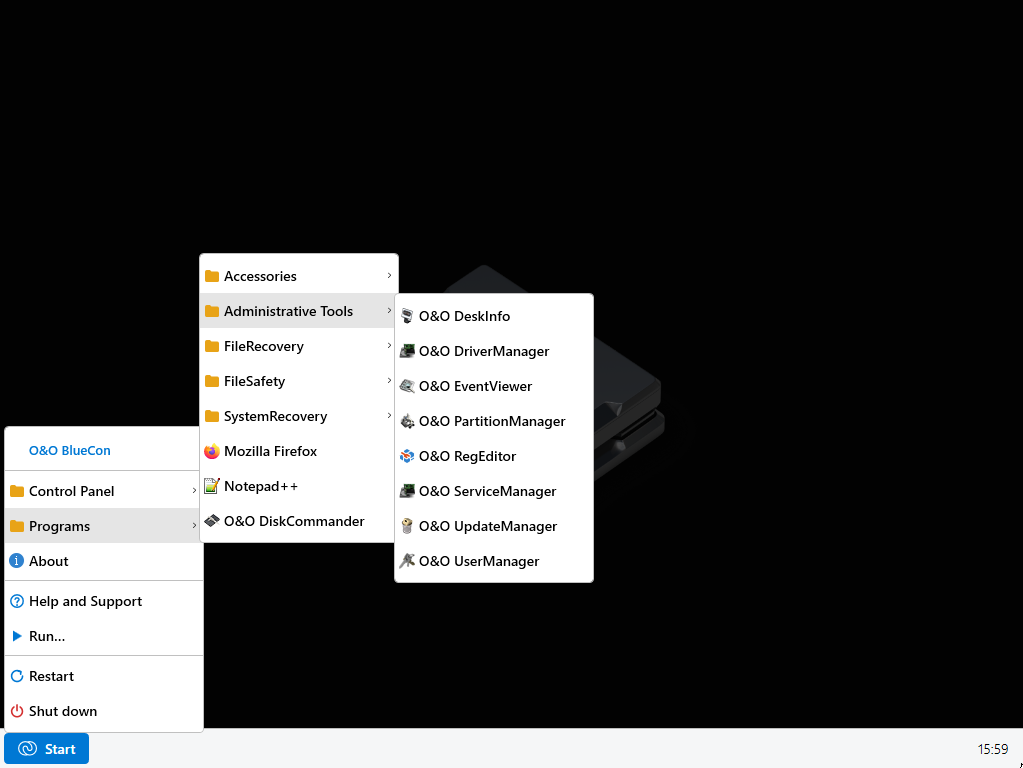
A major enhancement in O&O BlueCon 25 is its modernized user interface. The recovery environment has its own desktop, Start menu, and taskbar. The interface follows familiar Windows conventions, making the integrated tools easier to access.
Working with multiple Windows installations has also been simplified. When a different target system is selected, the relevant administration tools can automatically use that selection.
Support for current hardware has also been improved. Additional drivers can be loaded automatically when the recovery environment starts or added during a recovery session. Drivers without a hardware ID are also supported. On BitLocker-encrypted drives, displaying the recovery key ID helps identify the correct key. Connections to hidden Wi-Fi networks are supported as well.
Several options are available for creating recovery media. Administrators can create bootable USB drives and ISO or WIM images. In expert mode, they can specify which available tools and additional drivers to include on the recovery media.
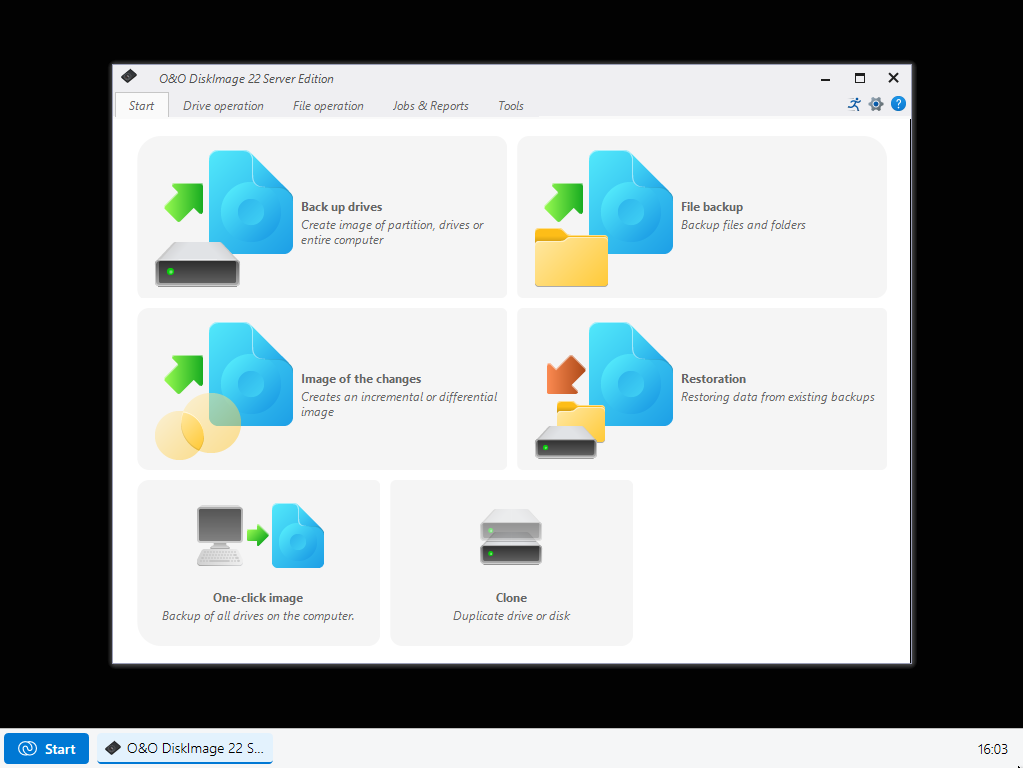
O&O BlueCon can be used on physical Windows PCs and servers as well as in suitable virtual environments. Different editions are available for professional use. O&O DiskImage is included in the Corporate, Technician, Site, and Enterprise business editions, adding features for backing up and restoring complete drives and systems.
With O&O BlueCon 25, IT departments and service providers have a versatile toolkit for investigating system failures, accessing important data, and restoring Windows systems without having to boot the affected operating system normally.
What’s new in O&O BlueCon 25
- Modernized recovery environment with its own desktop, Start menu, and taskbar
- O&O CheckAndRepair for examining and repairing the Windows component store, system files, and file system
- O&O DiskCommander as a modern file manager for offline data access
- O&O UpdateManager for removing problematic Windows updates
- O&O DriverManager and O&O ServiceManager for offline driver and service management
- O&O DeskInfo for displaying and exporting important system information
- Improved support for additional hardware and network drivers
- Enhanced BitLocker support with recovery key ID display
- Support for hidden Wi-Fi networks
- Simplified creation of customized recovery media
- Support for current Windows versions, including Windows 11 25H2 and Windows Server 2025
Solutions for everyday IT problems with O&O BlueCon tools
- Repair Windows system files and file system errors: O&O CheckAndRepair
- Remove problematic Windows updates: O&O UpdateManager
- Disable and manage faulty drivers: O&O DriverManager
- Manage Windows services offline: O&O ServiceManager
- Analyze system and application errors: O&O EventViewer
- Correct registry errors: O&O RegEditor
- Manage local user accounts and reset passwords: O&O UserManager
- Back up files and folders from a Windows system that cannot boot: O&O DiskCommander
- Display and export system information: O&O DeskInfo
- Recover deleted files: O&O DiskRecovery, depending on edition and license
- Manage drives and partitions: O&O PartitionManager, depending on edition and license
- Securely erase confidential data: O&O SafeErase, depending on edition and license
- Back up and restore systems and drives: O&O DiskImage, included in business editions
- Download additional information and tools: Integrated web browser
Product materials:

Packshot

Product icon
Screenshots: