
This Editor’s Guide provides IT journalists with information about the current version of O&O Defrag. You will find test material and image assets for free use and reproduction in magazines, newspapers, or on websites.
Short product description
New features include O&O SpeedCheck for clearly assessing performance potential and Drive Health, which displays the condition of HDDs, SSDs, and NVMe drives directly in O&O Defrag. The revised O&O DiskCleaner makes it easy to remove unnecessary files, even from multiple drives at the same time.
O&O Defrag automatically detects the type of drive in use and applies suitable optimization methods for traditional hard drives and SSDs. Proven tools such as O&O VisualDisk, O&O StartupManager, O&O IntensiveOptimize, and O&O AppBuster are also included.
Standard product description
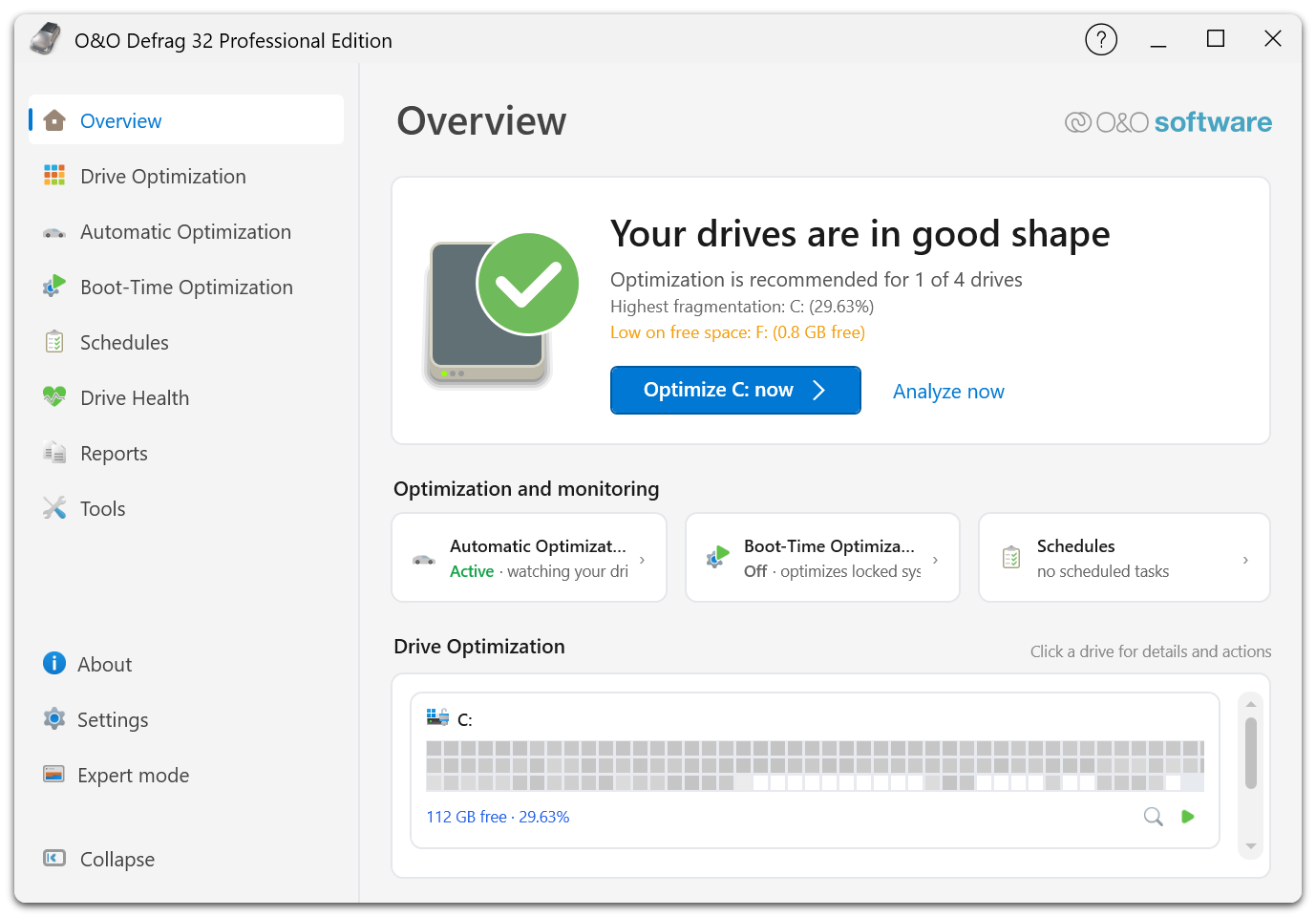
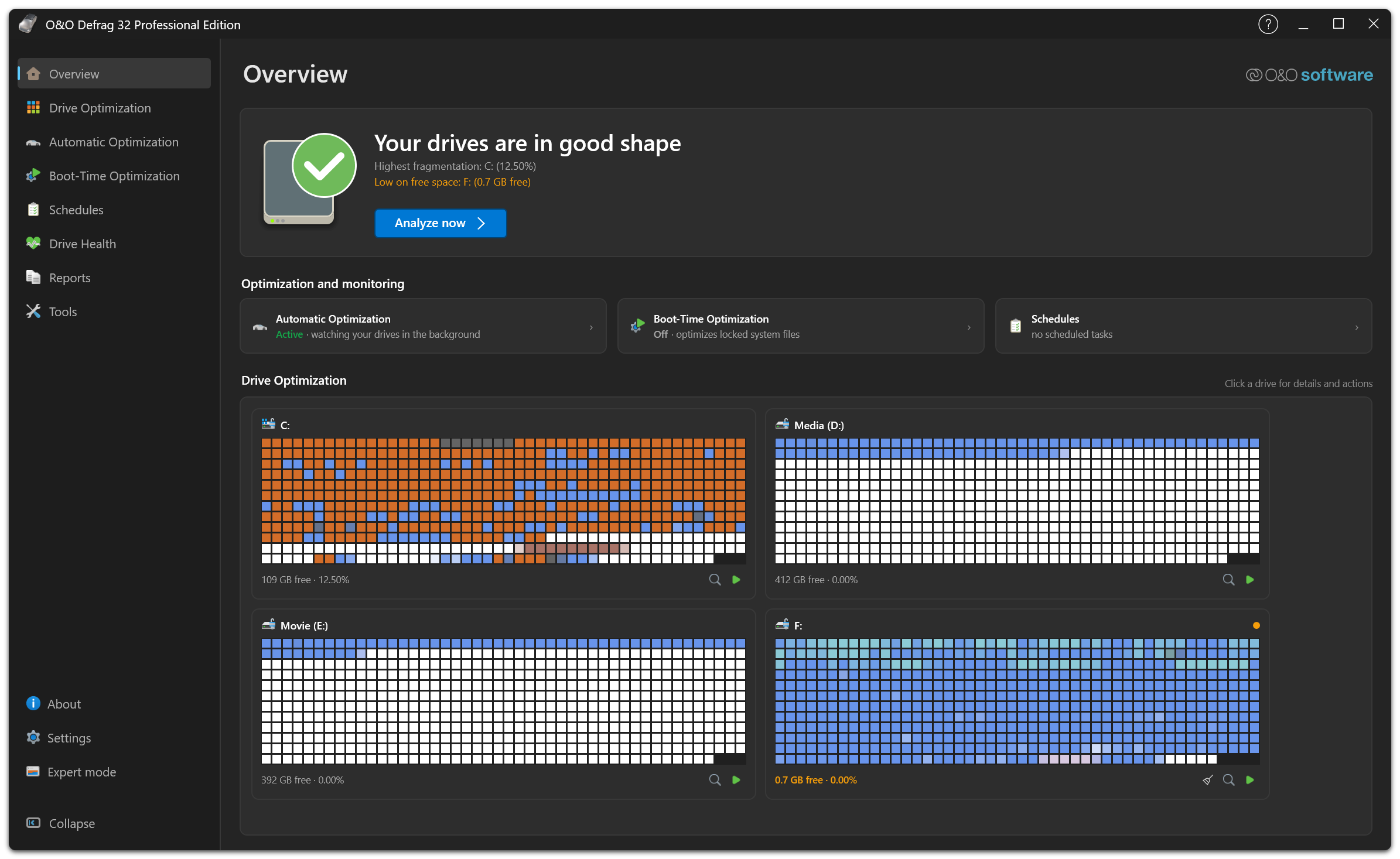
The user interface has been extensively modernized. An interactive step-by-step tour guides users through the most important functions, while clear reports, benchmarks, and recommendations make the current system status and possible optimization measures easy to understand. Experienced users can switch to the classic user interface with its comprehensive professional settings at any time via Expert Mode.
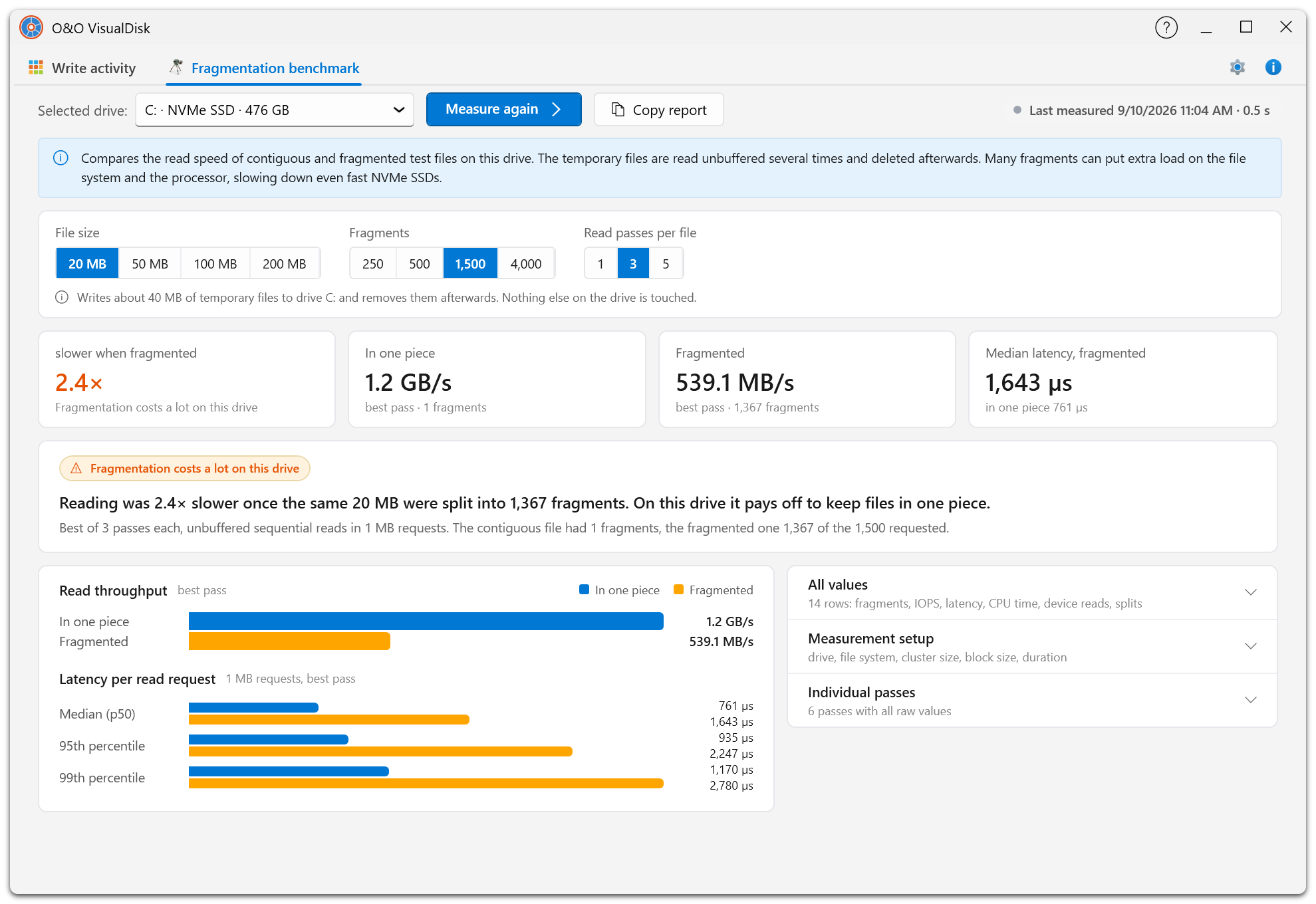
O&O SpeedCheck makes it possible to check the performance potential of a drive directly. The integrated benchmark compares simulated file access in fragmented and optimized states and makes differences in access times easy to understand.
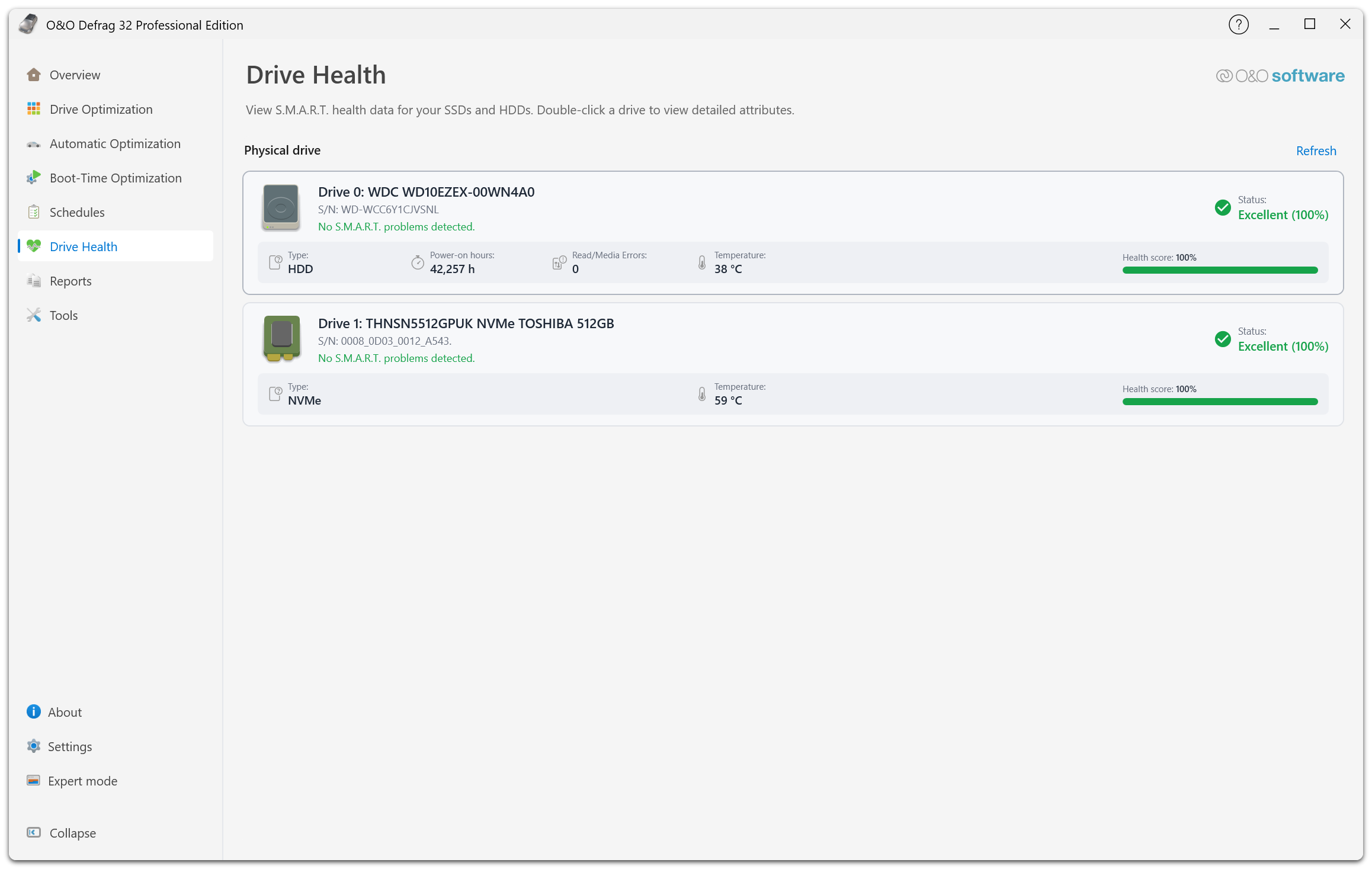
Drive Health adds information about the condition of installed HDDs, SSDs, and NVMe drives. Clear ratings help users identify potential issues at an early stage and assess the condition of their storage devices more easily.
O&O DiskCleaner has also been revised. Temporary and no-longer-needed files can be clearly grouped by category and removed from multiple drives at the same time. Analysis, scheduling, and management of optimization tasks have also been improved: multiple drives can be analyzed simultaneously and optimization methods can be selected more quickly.
O&O Defrag supports Windows systems with Intel, AMD, and ARM64 processors, providing a single solution for traditional desktop PCs, notebooks, and modern Windows systems.
Detailed product description
The user interface has been extensively modernized and designed for simpler, more intuitive operation. An interactive step-by-step tour guides users through the most important functions of O&O Defrag. Detailed reports, benchmarks, and recommendations provide a quick overview of drive status and indicate which measures may be useful. Expert Mode allows users to switch back to the classic user interface at any time, where all advanced settings and individual optimization strategies remain available.
O&O SpeedCheck makes the potential speed of a drive directly visible. The integrated benchmark simulates file access with fragmented and optimized data structures and compares the resulting access times. This makes it possible to understand how optimization may affect system performance.
Drive Health is another new feature. It displays the condition of HDDs, SSDs, and NVMe drives directly within O&O Defrag. Clear ratings help users identify potential issues early and assess the reliability of their storage devices more effectively. O&O Defrag therefore combines drive optimization and drive health monitoring within a single interface.
The revised O&O DiskCleaner helps free up additional storage space. Temporary files, cache data, and other no-longer-needed files can be clearly grouped by category and removed. Multiple drives can be cleaned at the same time, making even systems with extensive storage configurations easier to maintain.
Optimization task management has also been improved. Multiple drives can be analyzed simultaneously, optimization methods can be selected more quickly, and tasks can be scheduled, adjusted, and managed more easily. Detailed reports document completed measures and make the optimization history easy to follow.
O&O VisualDisk provides a clear visualization of write operations on SSDs and NVMe drives. This helps users better understand how modern flash storage works and how different data structures may affect future write operations. O&O VisualDisk therefore adds a visual representation of actual drive activity to traditional fragmentation analysis.
O&O StartupManager provides a central overview of programs, tasks, and services that start automatically with Windows. Information about their impact on startup time helps identify unnecessary startup entries. Programs that are no longer needed can be disabled and faulty entries can be removed, helping reduce Windows startup times.
For files that cannot be optimized while Windows is running, Boot-Time Optimization and O&O IntensiveOptimize are available. These features make it possible to optimize locked system files and other critical files outside normal Windows operation. O&O IntensiveOptimize runs in a separate Windows environment and also supports BitLocker-encrypted drives.
Automatic optimization can run entirely in the background. O&O ActivityMonitor takes the current system load into account and reduces O&O Defrag activity when other applications require the PC’s resources. This allows the system to remain continuously optimized without unnecessarily affecting everyday work.
O&O Defrag supports Windows systems with Intel, AMD, and ARM64 processors. This means the software can be used on traditional desktop and notebook systems as well as on modern Windows PCs with ARM processors.
Product material:
 Packshot |
 Product Icon |
Screenshots:
 |
 |
 |
 |
- O&O AutoBackup
- O&O BlueCon
- O&O CleverCache
- O&O Defrag
- O&O DiskCommander
- O&O DiskImage
- O&O DiskRecovery
- O&O DiskStat
- O&O DriveLED
- O&O FileBackup
- O&O FileErase
- O&O MediaRecovery
- O&O RegEditor
- O&O SafeErase
- O&O ShutUp10
- O&O Software
- O&O Syspectr
- O&O ToolBox
Press contact

Andrea Strehsow
Phone:
Fax:
+49 (0)30 991 9162-99
eMail:
LinkedIn:
Address:
O&O Software GmbH
Bülowstraße 66
10783 Berlin
Germany